



About this listing
Honeywell Device Utility is listed with version, update, developer, screenshots, permissions, source, and compatibility details from the available app metadata.
APK and source facts
Before you install
- Android requirement is not listed in the current data.
- Package size is not listed in the current data.
- The source link points to a Google Play listing.
Listing evidence
Honeywell Device Utility includes version 2.0.2, last update Dec 5, 2025, 4 screenshots, privacy policy link in the current metadata.
The current metadata notes that permission list is not available.
FungoApp APK review notes
Honeywell Device Utility APK listing review
Honeywell Device Utility APK listing review
Honeywell Device Utility is a Productivity listing from Honeywell International, Inc. with the package name `com.honeywell.installer`. The app is described as a secure and fast commissioning tool for Honeywell security devices, including setup for an MPA1 Series single-door access control panel. Because this is connected to physical security infrastructure, a useful review must treat it differently from a normal mobile utility. The key questions are official source, supported hardware, account or cloud context, privacy, and installer responsibility.
Listing Identity
The metadata shows version 2.0.2, an update date of December 5, 2025, and a release date of October 20, 2020. The listed developer is Honeywell International, Inc., and the privacy policy points to Honeywell's privacy statement. The install count and rating count are small, which is expected for a specialized commissioning app. Readers should verify the exact package name and developer on the live source page before using it with any access control device.
Commissioning Scope
The description says the app can set up a device as a standalone web mode access control panel or as an access control panel in MAXPRO Cloud. It also mentions network properties, time setup, and sharing commissioning configurations through normal communication platforms for assistance. Those are operational tasks, not casual settings. The app is likely intended for installers, facility teams, or authorized administrators who understand the hardware and deployment environment.
Security Responsibility
Access control configuration affects who can enter a space and how a security device behaves. A phone app that makes commissioning easier still requires careful procedures: verify device ownership, follow site policy, document configuration changes, and avoid sharing sensitive setup files casually. If commissioning data is shared for support, readers should know exactly what information is included and whether it exposes network, device, or site details.
Hardware And Cloud Fit
The listing explicitly names MPA1 Series and MPA1C1 single-door access control panel support. That makes compatibility verification essential. Before installing, confirm the exact model, firmware, network mode, and whether the deployment uses standalone mode or MAXPRO Cloud. A mismatch between hardware and app version can waste time or create setup errors. Organizations should check Honeywell documentation and support channels before field use.
Privacy And Permissions
The current metadata snapshot does not list permission groups, but commissioning apps commonly need network, device discovery, local connection, camera, file, Bluetooth, or nearby-device access depending on workflow. Android prompts should be read carefully because security-device configuration can involve sensitive operational data. Honeywell's privacy statement should be reviewed by organizations with compliance requirements, shared devices, or managed installer accounts.
Source Checks
Confirm that the live source page still lists Honeywell International, Inc., package `com.honeywell.installer`, version 2.0.2 or a newer expected build, and the same privacy-policy domain. Check supported devices, release notes, and any Honeywell documentation for commissioning steps. If the app will be used on a customer site, test the workflow before the installation window.
FungoApp Review View
Honeywell Device Utility appears to be a specialized official commissioning tool, not a general productivity app. Its value depends on supported Honeywell hardware, authorized use, secure handling of setup data, and alignment with site procedures. FungoApp can organize the listing facts, but the live source page and Honeywell documentation should guide any real deployment.
FungoApp review for Honeywell Device Utility
Honeywell Device Utility by Honeywell International, Inc. is listed in Productivity. This page organizes the available metadata into a practical review format, including version 2.0.2, Android requirement not listed, update date Dec 5, 2025, rating 5.0 out of 5, and install signal 1,000+.
Compare Android productivity apps by looking at task, note, file, calendar, sync, offline, and collaboration features alongside permission and account requirements. For Honeywell Device Utility, use the details below as a checklist before you decide whether the app fits your device, privacy expectations, and use case.
Install decision context for Honeywell Device Utility
Honeywell Device Utility is best reviewed as a Productivity listing from Honeywell International, Inc., not as a direct APK file from FungoApp. The current signals show version 2.0.2, Android requirement not listed, last update Dec 5, 2025, rating 5.0 out of 5, install signal 1,000+, and monetization that does not list ads in the current data and does not list in-app purchases in the current data. Use those signals together: a popular listing can still be a poor fit if the permissions, update age, or account requirements do not match your intended use.
Use-case fit analysis
Honeywell Device Utility is presented around this purpose: "Secure & fast Commissioning App." A good fit is more likely when that purpose matches the category, screenshots, version history, and the kind of access the app requests. If you only need a narrow task, compare this listing with simpler alternatives before leaving FungoApp for the external source.
Permissions and privacy interpretation
Honeywell Device Utility does not include a permission list in the current FungoApp data. That missing field reduces review confidence, so readers should check the Android install prompt and source listing before using personal data or granting sensitive access.
Version and update interpretation
The listing shows version 2.0.2, updated Dec 5, 2025, package size not listed, and Android requirement not listed. Newer updates can indicate maintenance, but the practical question is whether the listed Android requirement fits your device and whether recent changes explain why the app needs its current permissions and storage footprint.
Screenshot review prompts
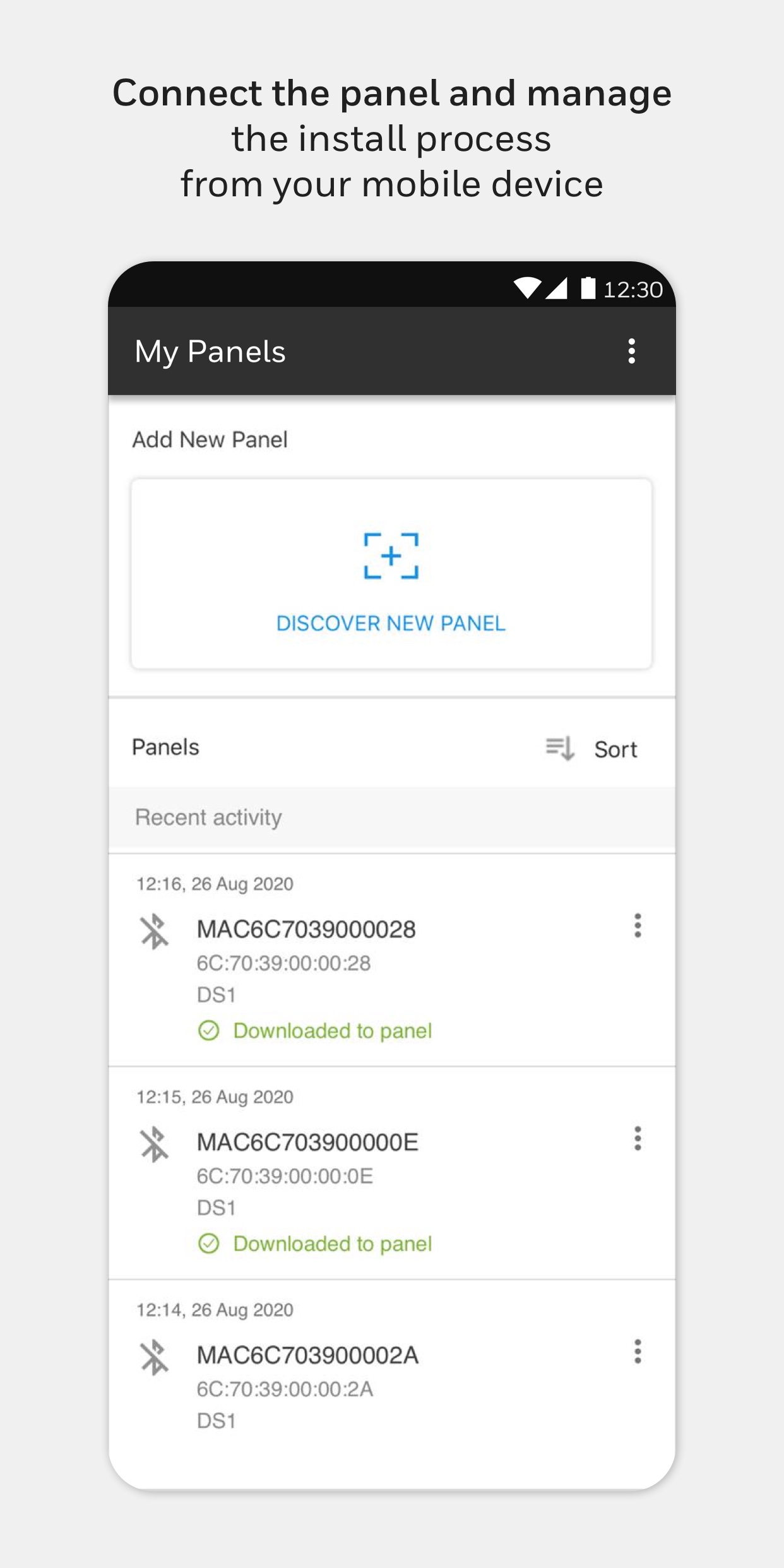
Honeywell Device Utility includes 4 screenshots in the current listing data. Use them to confirm the interface, account prompts, ads, paywalls, editing tools, game style, or workflow before you open the source page. Screenshots are evidence of presentation, not independent proof of package behavior.
Use case fit
Honeywell Device Utility is summarized as: "Secure & fast Commissioning App." Compare that promise with the screenshots, category, update notes, and related apps before installing.
Version and compatibility
The listing shows version 2.0.2, Android requirement not listed, package size not listed, and last update Dec 5, 2025. These details matter because older devices, large packages, and stale updates can change the install experience.
Privacy and permissions
Honeywell Device Utility does not include a permission list in the current metadata, so review the source listing and Android install prompt carefully.
Review checklist
- Confirm the developer name and source listing before installing.
- Review version, Android requirement, package size, and update date.
- Compare requested permission access with the feature you actually need.
- Read recent change notes and ratings as signals, not as guarantees of safety.
Comparison prompts
- Compare Honeywell Device Utility's developer and source link with other Productivity options before installing.
- Check whether version 2.0.2 and Android not listed match your device.
- Review the source listing carefully because FungoApp does not currently have a permission list for this app.
- Compare against related listings such as ZENTRA Utility and Weddy - AI Wedding Assistant for feature scope and privacy tradeoffs.
Publisher notes
- FungoApp organizes public listing metadata into review notes and comparison checklists for Honeywell Device Utility.
- FungoApp does not host the APK file, modify the app package, or claim independent file verification from the current data.
- The 5.0 rating is positive, though rating volume and recent reviews should be checked on the source listing before treating it as a strong quality signal. 1,000+ installs provide a modest adoption signal; compare it with category fit and developer transparency.
Developer-provided description
Commissioning functions for the device:
- Set up device as Stand Alone Web Mode access control panel
- Set up device as access control panel in MAXPRO Cloud
- Set up network properties
- Set up time
- Share device commission configurations via regular communication platforms for assistance and support
Supported Devices:
- MPA1 Series: MPA1C1 Single door Access control panel
Requirements (Latest version)
Android requirement is not listed in the current metadata.


