




About this listing
DrawNote: Drawing Notepad Memo is listed with version, update, developer, screenshots, permissions, source, and compatibility details from the available app metadata.
APK and source facts
Before you install
- Android requirement is not listed in the current data.
- Package size is not listed in the current data.
- The source link points to a Google Play listing.
Listing evidence
DrawNote: Drawing Notepad Memo includes version 9.0.8, last update Feb 2, 2026, 21 screenshots, privacy policy link in the current metadata.
The current metadata notes that permission list is not available.
FungoApp review for DrawNote: Drawing Notepad Memo
DrawNote: Drawing Notepad Memo by DragonNest is listed in Productivity. This page organizes the available metadata into a practical review format, including version 9.0.8, Android requirement not listed, update date Feb 2, 2026, rating 4.8 out of 5, and install signal 1,000,000+.
Compare Android productivity apps by looking at task, note, file, calendar, sync, offline, and collaboration features alongside permission and account requirements. For DrawNote: Drawing Notepad Memo, use the details below as a checklist before you decide whether the app fits your device, privacy expectations, and use case.
Install decision context for DrawNote: Drawing Notepad Memo
DrawNote: Drawing Notepad Memo is best reviewed as a Productivity listing from DragonNest, not as a direct APK file from FungoApp. The current signals show version 9.0.8, Android requirement not listed, last update Feb 2, 2026, rating 4.8 out of 5, install signal 1,000,000+, and monetization that does not list ads in the current data and offers in-app purchases. Use those signals together: a popular listing can still be a poor fit if the permissions, update age, or account requirements do not match your intended use.
Use-case fit analysis
DrawNote: Drawing Notepad Memo is presented around this purpose: "All-in-one notepad for notes, memo, todo list, mind mapping, sketch, drawing." A good fit is more likely when that purpose matches the category, screenshots, version history, and the kind of access the app requests. If you only need a narrow task, compare this listing with simpler alternatives before leaving FungoApp for the external source.
Permissions and privacy interpretation
DrawNote: Drawing Notepad Memo does not include a permission list in the current FungoApp data. That missing field reduces review confidence, so readers should check the Android install prompt and source listing before using personal data or granting sensitive access.
Version and update interpretation
The listing shows version 9.0.8, updated Feb 2, 2026, package size not listed, and Android requirement not listed. Newer updates can indicate maintenance, but the practical question is whether the listed Android requirement fits your device and whether recent changes explain why the app needs its current permissions and storage footprint.
Screenshot review prompts
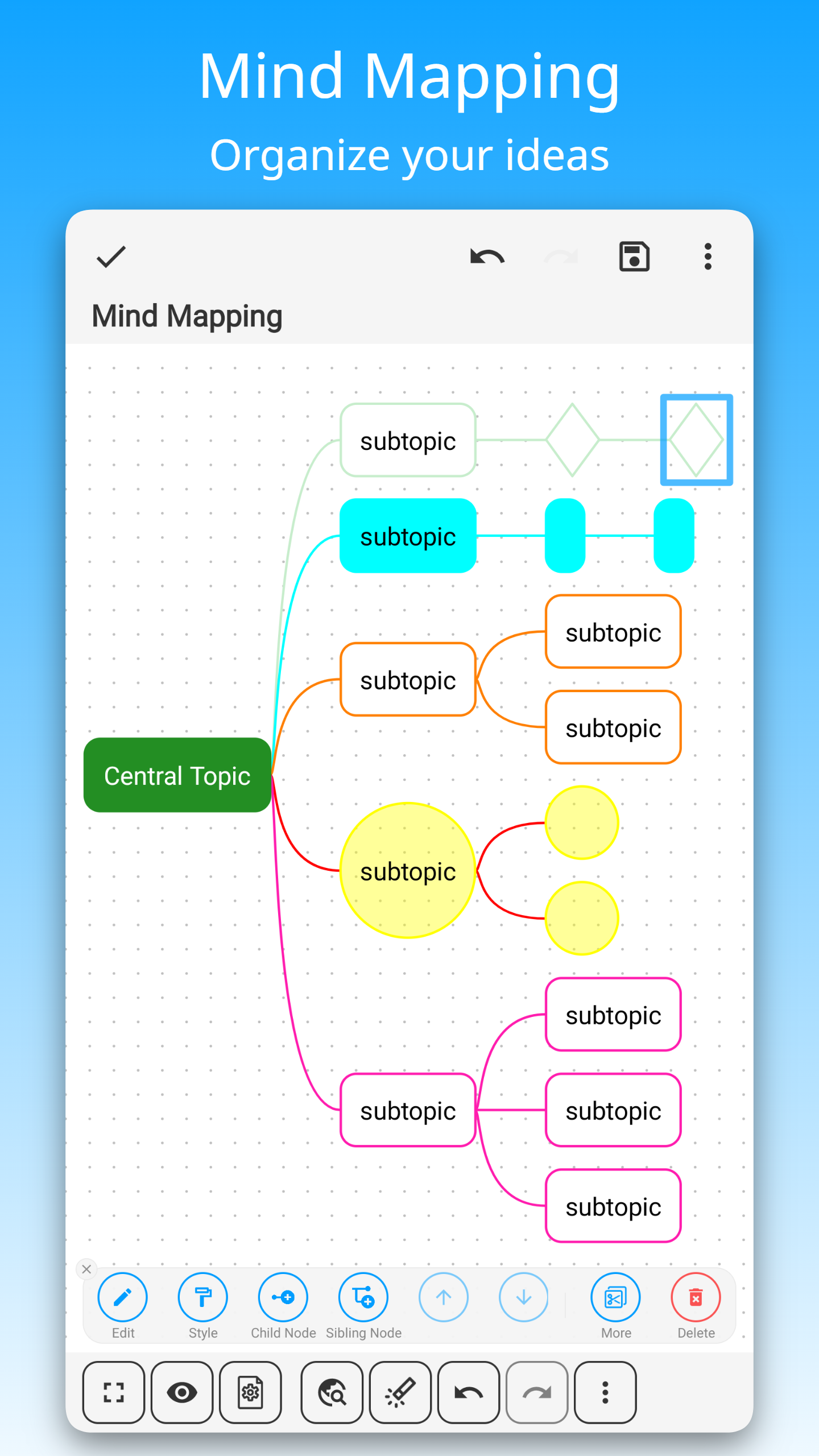
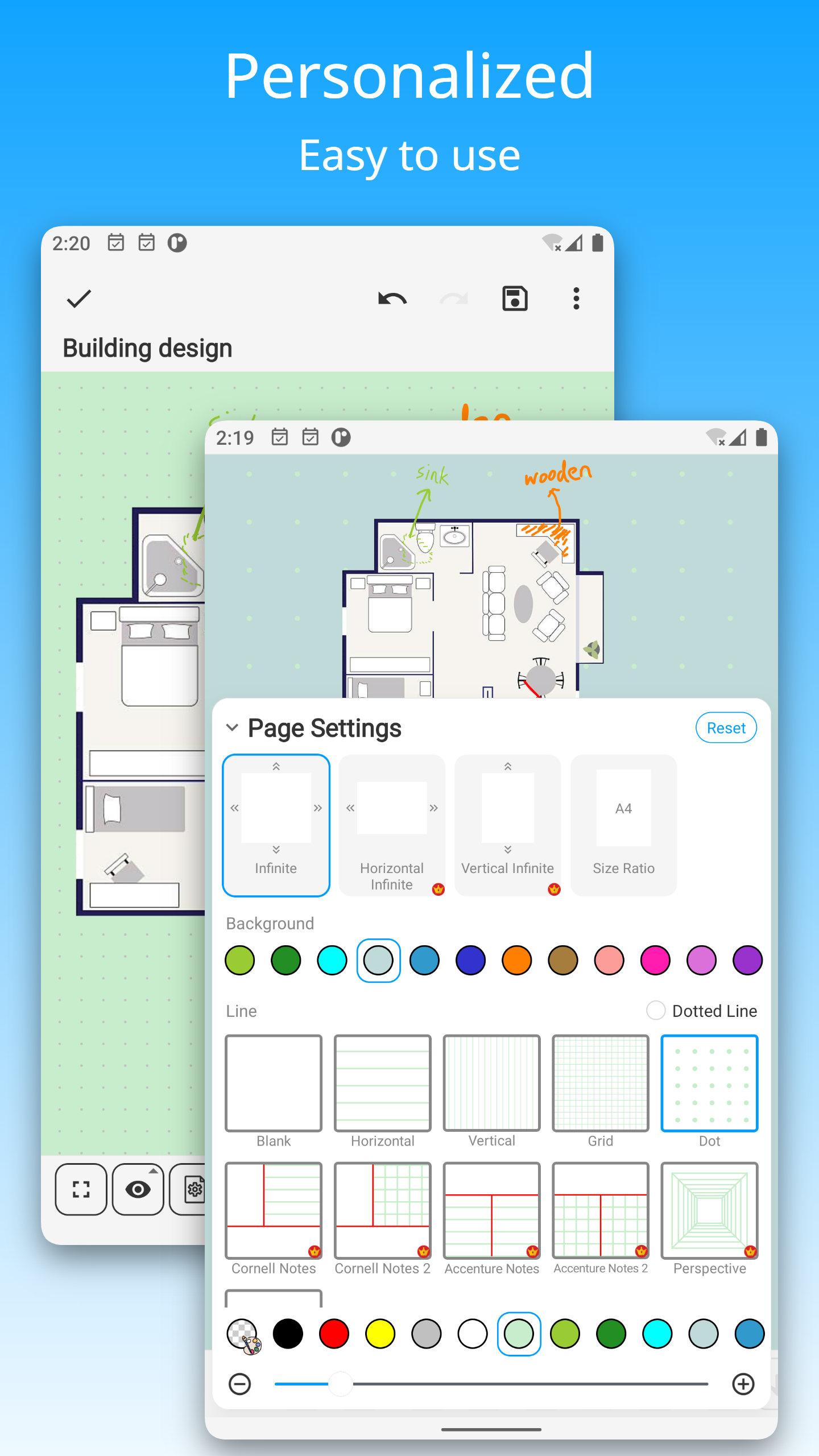
DrawNote: Drawing Notepad Memo includes 21 screenshots in the current listing data. Use them to confirm the interface, account prompts, ads, paywalls, editing tools, game style, or workflow before you open the source page. Screenshots are evidence of presentation, not independent proof of package behavior.
Use case fit
DrawNote: Drawing Notepad Memo is summarized as: "All-in-one notepad for notes, memo, todo list, mind mapping, sketch, drawing." Compare that promise with the screenshots, category, update notes, and related apps before installing.
Version and compatibility
The listing shows version 9.0.8, Android requirement not listed, package size not listed, and last update Feb 2, 2026. These details matter because older devices, large packages, and stale updates can change the install experience.
Privacy and permissions
DrawNote: Drawing Notepad Memo does not include a permission list in the current metadata, so review the source listing and Android install prompt carefully.
Review checklist
- Confirm the developer name and source listing before installing.
- Review version, Android requirement, package size, and update date.
- Compare requested permission access with the feature you actually need.
- Read recent change notes and ratings as signals, not as guarantees of safety.
Comparison prompts
- Compare DrawNote: Drawing Notepad Memo's developer and source link with other Productivity options before installing.
- Check whether version 9.0.8 and Android not listed match your device.
- Review the source listing carefully because FungoApp does not currently have a permission list for this app.
- Compare against related listings such as ZENTRA Utility and Honeywell Device Utility for feature scope and privacy tradeoffs.
Publisher notes
- FungoApp organizes public listing metadata into review notes and comparison checklists for DrawNote: Drawing Notepad Memo.
- FungoApp does not host the APK file, modify the app package, or claim independent file verification from the current data.
- The 4.8 rating with 36,882 rating entries is a useful popularity signal, but it should still be checked against update date, permissions, and the source listing. 1,000,000+ installs indicate broad usage, which helps with discovery but does not prove the package is appropriate for every device or privacy expectation.
Developer-provided description
⭐ Infinite Canvas - Create Infinite Possibilities
• DrawNote has an infinite canvas, allowing your imagination and creativity to be fully utilized.
• Using the flexible canvas, you can place text, pictures, recordings, tables, mind maps and other content arbitrarily.
• You can sketch, draw and paint on the notepad and whiteboard with your finger or stylus. Writing, drawing diagrams and annotating content as freely as on paper.
• Abundant stickers make your notes more lively and interesting.
⭐ Various note types
• There are a variety of note types for notes, including Super Note, Text Note and Mind Mapping, to meet different usage scenarios.
• Super Note combines handwriting, drawing, text, picture, table, mind map and other elements to fully express your creativity and artistic talent.
• Text Note focus on text. Support rich text settings, such as color, thickness, size and margin, etc.
• Mind Mapping help you quickly record ideas and organize knowledge. You can freely choose styles, borders, colors and styles.
⭐ Easily manage notes and share
• Organize your work, study and personal life by managing your notes with unlimited folders.
• You can sort notes by date, name, etc., and manually sort them.
• Supports exporting notes in the notebook as high-quality pictures for easy sharing with others.
• Use DrawNote as a notebook, journal or notepad. Access, organize and share your notes anytime, anywhere.
⭐ Efficiently manage to-do list
• Create to-dos in DrawNote to make sure you never miss something important.
• Set the priority and end time for the to-do items, and pin the to-do items to the system notification bar.
• Use the notepad to manage your daily plans and tasks.
⭐ Data security and privacy protection
• Cloud backup via Google Drive, turn on the auto backup option to ensure that your data will not be lost.
• Set passwords for specific notes and folders to fully protect your privacy.
⭐ Other Features
• DrawNote can be used as a digital whiteboard and notepad. The markup function helps you find important points and attract attention, which is very suitable for teaching and presentations.
• Support dark mode and switch different theme colors according to personal preference and mood.
• The user interface is simple and elegantly designed for ease of use. Of course, no ads.
DrawNote is a super notebook & notepad. It is the first choice for you to record study notes, make teaching materials, conceive creative ideas, manage task lists, write literary works, record personal moods, and even pursue artistic creation.
There are many more features waiting for you to discover! Download now to experience DrawNote APP and stimulate your creativity!
Have a beautiful day!
Requirements (Latest version)
Android requirement is not listed in the current metadata.


