




About this listing
Notification Notes is listed with version, update, developer, screenshots, permissions, source, and compatibility details from the available app metadata.
APK and source facts
Before you install
- Android requirement is not listed in the current data.
- Package size is not listed in the current data.
- The source link points to a Google Play listing.
Listing evidence
Notification Notes includes version 2.18, last update Feb 1, 2026, 11 screenshots, privacy policy link in the current metadata.
The current metadata notes that permission list is not available.
FungoApp review for Notification Notes
Notification Notes by hasmetd is listed in Productivity. This page organizes the available metadata into a practical review format, including version 2.18, Android requirement not listed, update date Feb 1, 2026, rating 4.9 out of 5, and install signal 10,000+.
Compare Android productivity apps by looking at task, note, file, calendar, sync, offline, and collaboration features alongside permission and account requirements. For Notification Notes, use the details below as a checklist before you decide whether the app fits your device, privacy expectations, and use case.
Install decision context for Notification Notes
Notification Notes is best reviewed as a Productivity listing from hasmetd, not as a direct APK file from FungoApp. The current signals show version 2.18, Android requirement not listed, last update Feb 1, 2026, rating 4.9 out of 5, install signal 10,000+, and monetization that does not list ads in the current data and does not list in-app purchases in the current data. Use those signals together: a popular listing can still be a poor fit if the permissions, update age, or account requirements do not match your intended use.
Use-case fit analysis
Notification Notes is presented around this purpose: "Add notes as notifications to never forget" A good fit is more likely when that purpose matches the category, screenshots, version history, and the kind of access the app requests. If you only need a narrow task, compare this listing with simpler alternatives before leaving FungoApp for the external source.
Permissions and privacy interpretation
Notification Notes does not include a permission list in the current FungoApp data. That missing field reduces review confidence, so readers should check the Android install prompt and source listing before using personal data or granting sensitive access.
Version and update interpretation
The listing shows version 2.18, updated Feb 1, 2026, package size not listed, and Android requirement not listed. Newer updates can indicate maintenance, but the practical question is whether the listed Android requirement fits your device and whether recent changes explain why the app needs its current permissions and storage footprint.
Screenshot review prompts
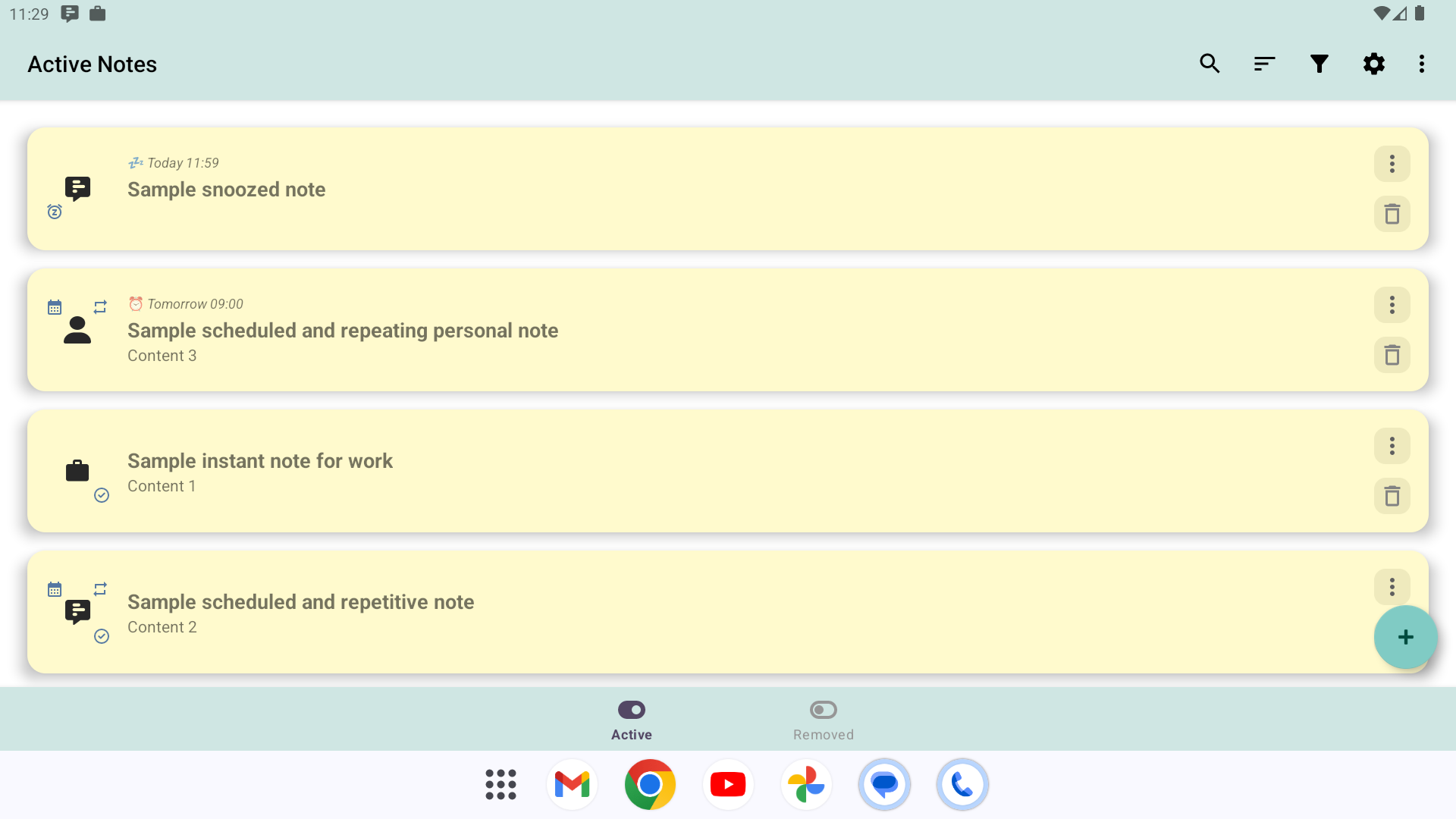
Notification Notes includes 11 screenshots in the current listing data. Use them to confirm the interface, account prompts, ads, paywalls, editing tools, game style, or workflow before you open the source page. Screenshots are evidence of presentation, not independent proof of package behavior.
Use case fit
Notification Notes is summarized as: "Add notes as notifications to never forget" Compare that promise with the screenshots, category, update notes, and related apps before installing.
Version and compatibility
The listing shows version 2.18, Android requirement not listed, package size not listed, and last update Feb 1, 2026. These details matter because older devices, large packages, and stale updates can change the install experience.
Privacy and permissions
Notification Notes does not include a permission list in the current metadata, so review the source listing and Android install prompt carefully.
Review checklist
- Confirm the developer name and source listing before installing.
- Review version, Android requirement, package size, and update date.
- Compare requested permission access with the feature you actually need.
- Read recent change notes and ratings as signals, not as guarantees of safety.
Comparison prompts
- Compare Notification Notes's developer and source link with other Productivity options before installing.
- Check whether version 2.18 and Android not listed match your device.
- Review the source listing carefully because FungoApp does not currently have a permission list for this app.
- Compare against related listings such as ZENTRA Utility and Honeywell Device Utility for feature scope and privacy tradeoffs.
Publisher notes
- FungoApp organizes public listing metadata into review notes and comparison checklists for Notification Notes.
- FungoApp does not host the APK file, modify the app package, or claim independent file verification from the current data.
- The 4.9 rating is positive, though rating volume and recent reviews should be checked on the source listing before treating it as a strong quality signal. 10,000+ installs provide a modest adoption signal; compare it with category fit and developer transparency.
Developer-provided description
Features:
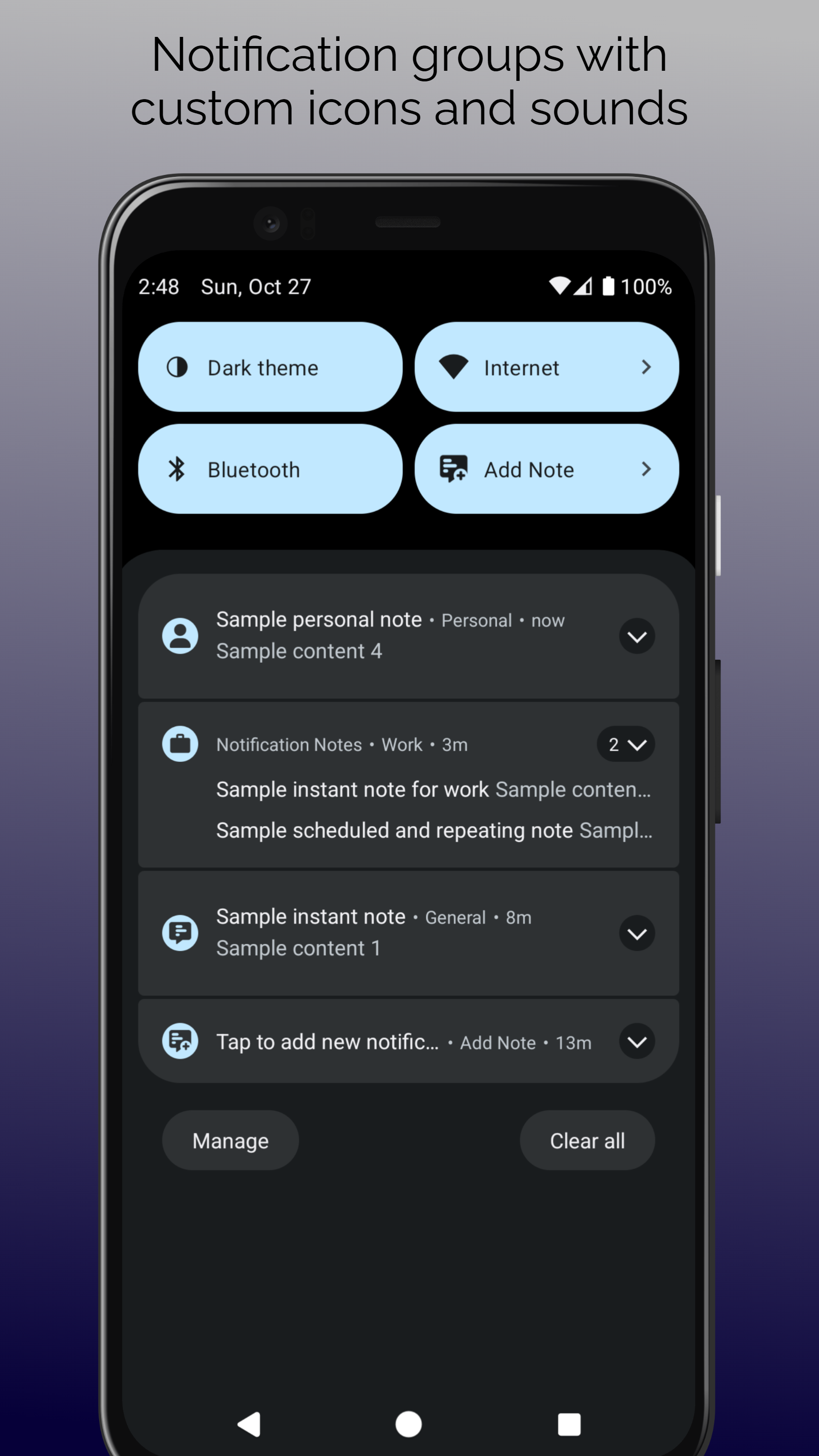
- Add notes quickly from Quick Settings tile or persistent notification
- Show notes instantly or schedule notes with repetition support
- Dismiss ongoing notes from the notification, which reschedules periodic notes to the next period and removes non-repeating notes.
- Snooze ongoing notes directly from the notification
- Use notification groups with custom icon and sound to separate notes based on category
- Pick schedule time instantly from your favorites
- Restore removed notes. Removed notes get permanently deleted after 30 days.
- Search, sort and filter to find added notes
- Pause repeating notes to skip schedules
- Lightweight and ad-free with minimum battery consumption
Tip: The recommended way for adding notes and opening notes list is to use Quick Settings tile (tap to add note and hold to open notes list). Move the tile to one of the first slots to make it always visible. You can completely disable the persistent notification channel (not the added notes channel) if you're going to use the tile.
Alternatively, you can set the persistent notification channel as silent and remove it from lockscreen and statusbar. This way, you can use the persistent notification without getting distracted by it.
Warning: This is not an alarm clock app, so do not use this app for setting exact alarms. Android does not allow this type of schedules to wake the device very often, so notifications may appear late or a little early. On some devices, the delay may be longer. Disabling battery optimizations may improve its behavior.
Requirements (Latest version)
Android requirement is not listed in the current metadata.


