




About this listing
Time Cut : Smooth Slow Motion is listed with version, update, developer, screenshots, permissions, source, and compatibility details from the available app metadata.
APK and source facts
Before you install
- Android requirement is not listed in the current data.
- Package size is not listed in the current data.
- The source link points to a Google Play listing.
Listing evidence
Time Cut : Smooth Slow Motion includes version 2.6.0, last update Sep 9, 2022, 8 screenshots, privacy policy link in the current metadata.
The current metadata notes that permission list is not available.
FungoApp review for Time Cut : Smooth Slow Motion
Time Cut : Smooth Slow Motion by changpeng is listed in Photography. This page organizes the available metadata into a practical review format, including version 2.6.0, Android requirement not listed, update date Sep 9, 2022, rating 4.5 out of 5, and install signal 5,000,000+.
Browse Android app listings with metadata, source links, version details, compatibility notes, screenshots, and permission signals that help you compare apps before installing. For Time Cut : Smooth Slow Motion, use the details below as a checklist before you decide whether the app fits your device, privacy expectations, and use case.
Install decision context for Time Cut : Smooth Slow Motion
Time Cut : Smooth Slow Motion is best reviewed as a Photography listing from changpeng, not as a direct APK file from FungoApp. The current signals show version 2.6.0, Android requirement not listed, last update Sep 9, 2022, rating 4.5 out of 5, install signal 5,000,000+, and monetization that contains ads and offers in-app purchases. Use those signals together: a popular listing can still be a poor fit if the permissions, update age, or account requirements do not match your intended use.
Use-case fit analysis
Time Cut : Smooth Slow Motion is presented around this purpose: "PRO slomo velocity edit, smooth action cam, motion blur, velomingo video editor." A good fit is more likely when that purpose matches the category, screenshots, version history, and the kind of access the app requests. If you only need a narrow task, compare this listing with simpler alternatives before leaving FungoApp for the external source.
Permissions and privacy interpretation
Time Cut : Smooth Slow Motion does not include a permission list in the current FungoApp data. That missing field reduces review confidence, so readers should check the Android install prompt and source listing before using personal data or granting sensitive access.
Version and update interpretation
The listing shows version 2.6.0, updated Sep 9, 2022, package size not listed, and Android requirement not listed. Newer updates can indicate maintenance, but the practical question is whether the listed Android requirement fits your device and whether recent changes explain why the app needs its current permissions and storage footprint.
Screenshot review prompts
Time Cut : Smooth Slow Motion includes 8 screenshots in the current listing data. Use them to confirm the interface, account prompts, ads, paywalls, editing tools, game style, or workflow before you open the source page. Screenshots are evidence of presentation, not independent proof of package behavior.
Use case fit
Time Cut : Smooth Slow Motion is summarized as: "PRO slomo velocity edit, smooth action cam, motion blur, velomingo video editor." Compare that promise with the screenshots, category, update notes, and related apps before installing.
Version and compatibility
The listing shows version 2.6.0, Android requirement not listed, package size not listed, and last update Sep 9, 2022. These details matter because older devices, large packages, and stale updates can change the install experience.
Privacy and permissions
Time Cut : Smooth Slow Motion does not include a permission list in the current metadata, so review the source listing and Android install prompt carefully.
Review checklist
- Confirm the developer name and source listing before installing.
- Review version, Android requirement, package size, and update date.
- Compare requested permission access with the feature you actually need.
- Read recent change notes and ratings as signals, not as guarantees of safety.
Comparison prompts
- Compare Time Cut : Smooth Slow Motion's developer and source link with other Photography options before installing.
- Check whether version 2.6.0 and Android not listed match your device.
- Review the source listing carefully because FungoApp does not currently have a permission list for this app.
- Compare against related listings such as Glow HDR: Ultra HDR converter and Photo Collage Maker PhotoFrame for feature scope and privacy tradeoffs.
Publisher notes
- FungoApp organizes public listing metadata into review notes and comparison checklists for Time Cut : Smooth Slow Motion.
- FungoApp does not host the APK file, modify the app package, or claim independent file verification from the current data.
- The 4.5 rating is positive, though rating volume and recent reviews should be checked on the source listing before treating it as a strong quality signal. 5,000,000+ installs indicate broad usage, which helps with discovery but does not prove the package is appropriate for every device or privacy expectation.
Developer-provided description
Do you want to make a smooth slow and fast motion velomingo video with no lag or turn your videos into HFR (high frame rate)? Does your phone camera support recording slow mo videos like an iPhone camera does? Do you want to make a velocity edit and freeze time at certain moments? Do you need free twixtor effect to slow down a clip,or do you want motion blur fx like RSMB After Effects plugin? Time Cut video speed changer & framerate converter will help!
This app can calculate additional video frames to make ultra slopro smooth videos even if you slow motion a normal 30 fps video. We also offer a wide range of carefully designed velomingo slowmo effects and camera lenta that make it easy to highlight your favorite moments in the node video.
#Speed Curve & Smooth Slow Motion Editor
As an advanced speed changer for smooth action cam, like VSCO trending video effects. Our free video speed adjustment feature allows you to make any flexible velocity edits to your video node, including customized speed curve, time freezer and a variety of common speed change presets. For example, you can speed it up and then slow it down, and your camera lenta video will always stay smooth even after being slowed down . By speeding up continuous picture frames, you can make amazing hyperlapse or timelapse videos.
You are also able to choose the simple normal mode and select your ultra slow-motion speed up to 1/10x or fast motion - video acceleration up to 10x. With video filters and music added, you can create incredible slomo or timeplase videos.
# Motion Blur Effects Using Optical Flow
Create high quality cool motion blur effects like RSMB plugin on PC to enhance your video performance. Our motion blur fx also uses optical flow method to achieve vsmb results. We also offer many more blur options like BCC lens blur and directional blur etc.
#Frame Rate Converter
In addition to increasing the frame rate of normal videos to 60/120/240 fps, it can also convert high frame rate videos into cinematic 24fps videos and 30fps videos of smaller size to share. When you slow down high frame rate videos, the result will be smoother than normal slomo videos without any stutter or ""lag"". When you turn a hfr video into lower framerates, the size will be smaller and easy to save and share.The app supports dealing with videos from 1 to 240 fps, which mean videos taken by go pro, action cam, drone and smartphone of all types.
#Quality Enhancer
Wanna good-quality video to take the edits to the next level? We offer AI-driven HD quality enhancer to enhance the quality of both pictures and videos.
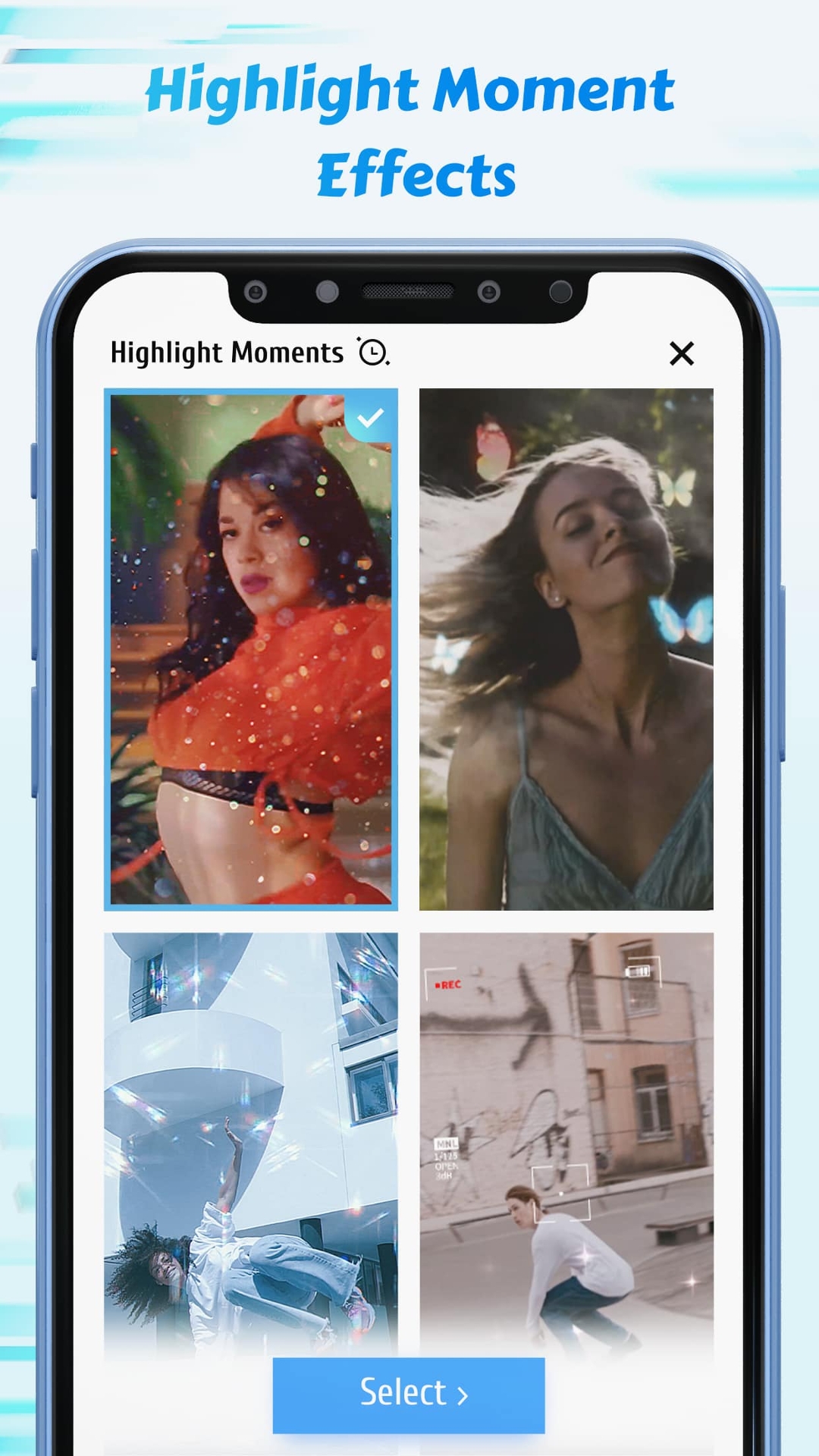
#Highlight Moments Fx
There're all kinds of slow motion effects available in our app to help you make creative velomingo edits in an easy way regardless of your editing skills. There are only two steps: first, select a highlight moment fx you like; second, choose the start moment. You'll get a video including all kinds of effects, such as glitter, Zoom or flashy lights, and also VSCO like filters, and then you can check it out in our video player. If you add music that can match the movement and the beat, it will be a viral dance video on TikTok and on Instagram Boomerang and Insta Reels.
A few ideas for where you can use our app:
-slow down and capture the jumping moment when you jump high
-slowmo your amazing hd clip of every game replay and share it on Youtube and Twitch
-make free smooth dance velocity edits with node video editor for Tik Tok and Instagram Reels
-make a fun quick and slow video clip and turn it into a Gif to send on Whatsapp
Download Time Cut and play with time!
Requirements (Latest version)
Android requirement is not listed in the current metadata.


