

Video Preview






About this listing
Challenger Comics Viewer is listed with version, update, developer, screenshots, permissions, source, and compatibility details from the available app metadata.
APK and source facts
Before you install
- Android requirement is not listed in the current data.
- Package size is not listed in the current data.
- The source link points to a Google Play listing.
Listing evidence
Challenger Comics Viewer includes version Varies with device, last update Oct 10, 2025, 24 screenshots, privacy policy link in the current metadata.
The current metadata notes that permission list is not available.
FungoApp review for Challenger Comics Viewer
Challenger Comics Viewer by The Challenger is listed in Comics. This page organizes the available metadata into a practical review format, including version Varies with device, Android requirement not listed, update date Oct 10, 2025, rating 3.9 out of 5, and install signal 1,000,000+.
Browse Android app listings with metadata, source links, version details, compatibility notes, screenshots, and permission signals that help you compare apps before installing. For Challenger Comics Viewer, use the details below as a checklist before you decide whether the app fits your device, privacy expectations, and use case.
Install decision context for Challenger Comics Viewer
Challenger Comics Viewer is best reviewed as a Comics listing from The Challenger, not as a direct APK file from FungoApp. The current signals show version Varies with device, Android requirement not listed, last update Oct 10, 2025, rating 3.9 out of 5, install signal 1,000,000+, and monetization that does not list ads in the current data and does not list in-app purchases in the current data. Use those signals together: a popular listing can still be a poor fit if the permissions, update age, or account requirements do not match your intended use.
Use-case fit analysis
Challenger Comics Viewer is presented around this purpose: "The Best comics Viewer ! Read PDF, ePUB, CBR, CBZ, CBT, CB7, JPG, PNG, BMP, GIF" A good fit is more likely when that purpose matches the category, screenshots, version history, and the kind of access the app requests. If you only need a narrow task, compare this listing with simpler alternatives before leaving FungoApp for the external source.
Permissions and privacy interpretation
Challenger Comics Viewer does not include a permission list in the current FungoApp data. That missing field reduces review confidence, so readers should check the Android install prompt and source listing before using personal data or granting sensitive access.
Version and update interpretation
The listing shows version Varies with device, updated Oct 10, 2025, package size not listed, and Android requirement not listed. Newer updates can indicate maintenance, but the practical question is whether the listed Android requirement fits your device and whether recent changes explain why the app needs its current permissions and storage footprint.
Screenshot review prompts
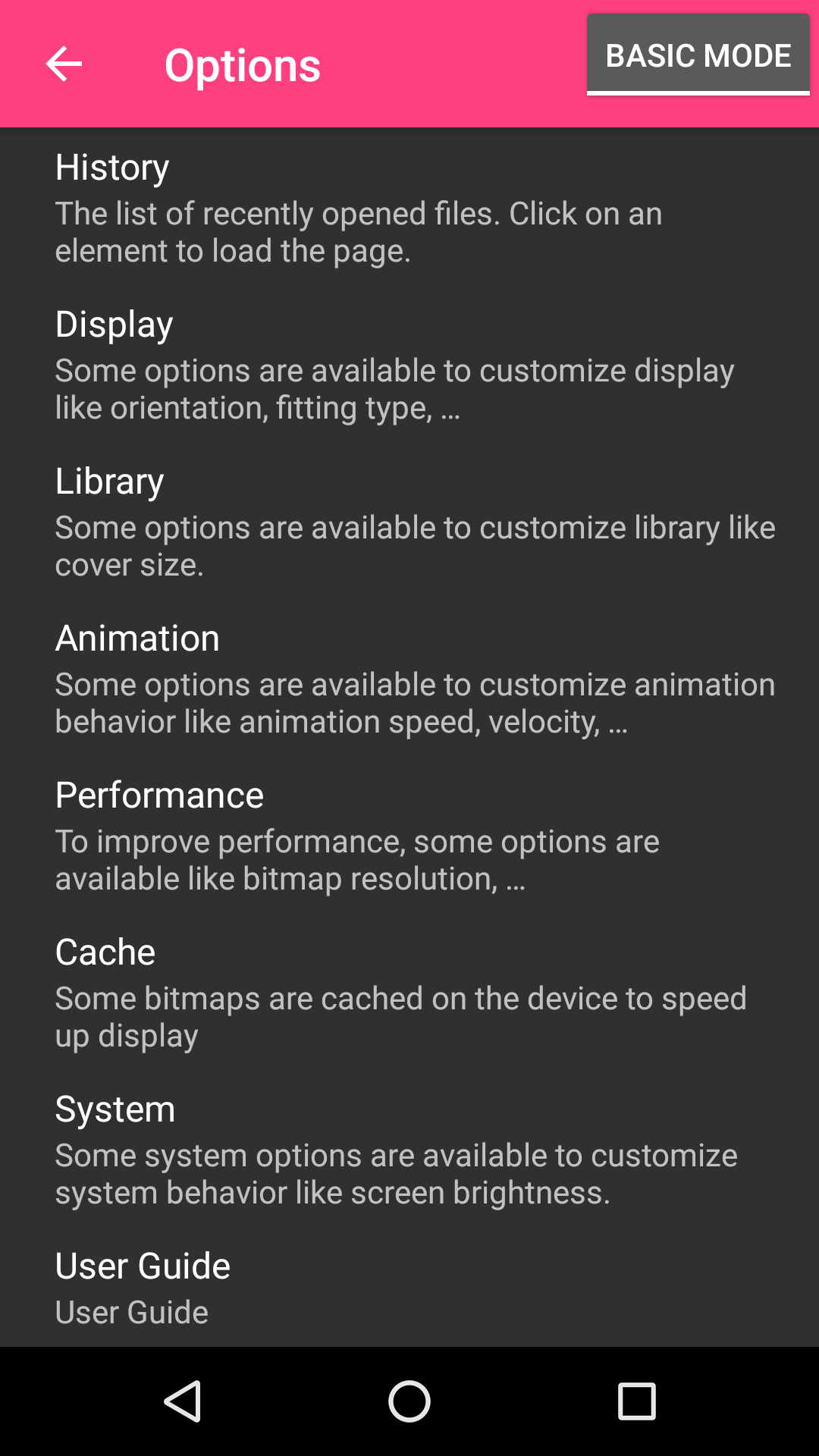
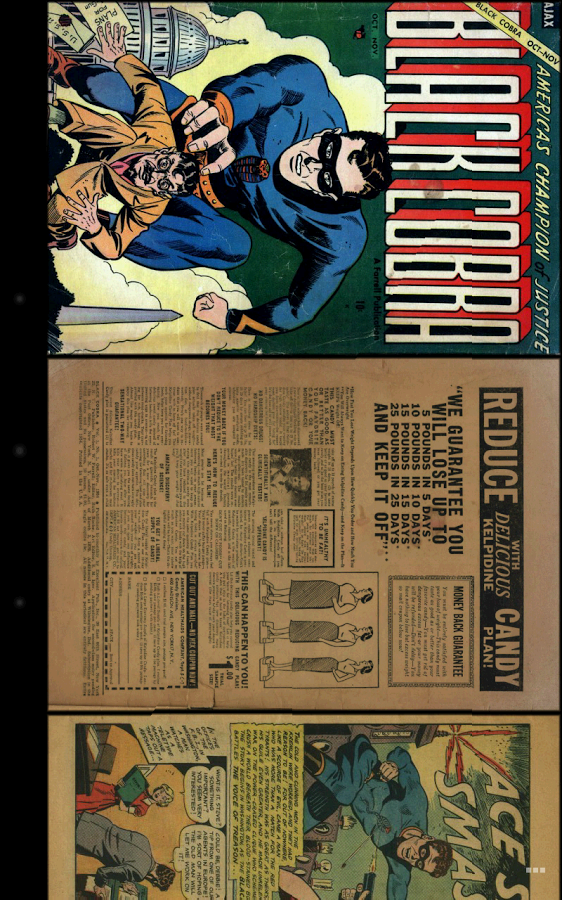
Challenger Comics Viewer includes 24 screenshots in the current listing data. Use them to confirm the interface, account prompts, ads, paywalls, editing tools, game style, or workflow before you open the source page. Screenshots are evidence of presentation, not independent proof of package behavior.
Use case fit
Challenger Comics Viewer is summarized as: "The Best comics Viewer ! Read PDF, ePUB, CBR, CBZ, CBT, CB7, JPG, PNG, BMP, GIF" Compare that promise with the screenshots, category, update notes, and related apps before installing.
Version and compatibility
The listing shows version Varies with device, Android requirement not listed, package size not listed, and last update Oct 10, 2025. These details matter because older devices, large packages, and stale updates can change the install experience.
Privacy and permissions
Challenger Comics Viewer does not include a permission list in the current metadata, so review the source listing and Android install prompt carefully.
Review checklist
- Confirm the developer name and source listing before installing.
- Review version, Android requirement, package size, and update date.
- Compare requested permission access with the feature you actually need.
- Read recent change notes and ratings as signals, not as guarantees of safety.
Comparison prompts
- Compare Challenger Comics Viewer's developer and source link with other Comics options before installing.
- Check whether version Varies with device and Android not listed match your device.
- Review the source listing carefully because FungoApp does not currently have a permission list for this app.
- Compare against related listings such as Bonelli Digital Classic and Shonen Jump Manga & Comics for feature scope and privacy tradeoffs.
Publisher notes
- FungoApp organizes public listing metadata into review notes and comparison checklists for Challenger Comics Viewer.
- FungoApp does not host the APK file, modify the app package, or claim independent file verification from the current data.
- The 3.9 rating suggests readers should compare recent reviews, alternatives, and the app's stated purpose carefully. 1,000,000+ installs indicate broad usage, which helps with discovery but does not prove the package is appropriate for every device or privacy expectation.
Developer-provided description
It's really simple to use. You just have to scroll ! Pages are automatically loaded and displayed (no need to click to go to next page).
It's FREE and THERE ARE NO ADS.
This version works perfectly on phones AND tablets.
Supported image file formats are JPG, PNG, GIF, WebP (Android 4.0+) and BMP.
Supported book file formats are PDF, CBZ/ZIP, CBR/RAR, CBT/TAR, CB7/7Z, DjVu and ePUB.
Main features are :
• Automatic page loading
• Zoom using multi-touch
• Vertical/Horizontal scrolling
• 2 display modes (Simple View which displays pages one by one and Multiple Image View which displays all pages one after the other)
• Scale filters: Bilinear, Bicubic, Lanczos4
• Library with covers displayed to quickly open comics (multiple kind of views available)
• Automatically switch to next issue when last page of the comic is displayed
• Border cropping
• Read from left to right or right to left
• Actions can be customized
• Single page and "2 page" display mode
• Filter to improve displayed image quality
• Manual scrolling by moving finger on screen
• Autoscrolling by long pressing on screen
• Tap to go to Next/Previous pages
• Fit to Width/Height/Screen display
• Multiple Image preview type
• Option to direct access to page
• History management
• Support multi-language (for now, english, french, russian, italian)
• Border can be display over Bitmap to easily identify each pages
• Contrast/Brightness/Saturation management
• Screen brightness management
• Application can be moved to SD Card
• Cached data can be stored in internal memory or SD Card
• Supports Samsung "Multi-Window" mode
• Color themes
Files can be accessed on the device or network.
Supported network protocols are :
• Google Drive
• OneDrive/SkyDrive
• Mega
• Ubooquity (http://vaemendis.net/ubooquity)
• DLNA/Upnp (Need Android >= 4.0.3)
• OPDS (beta)
• Windows/SAMBA/CIFS
• DropBox
• Webdav/Cloud (like box.com, 4shared.com, alwaysdata.com, ...)
• FTP
• SFTP
The application needs a phone/tablet with lots of memory and a powerful processor, so don't be disappointed if your phone is quite old and performance is not good.
For instance, it works perfectly on Nexus 4, Nexus 7, Nexus 10, Galaxy S2, Galaxy S3, Galaxy S4, Galaxy S5, Galaxy S6, Galaxy S7, Galaxy Tab, ...
Documentation is available at : http://challengerviewer.wordpress.com/challenger-comics-viewer-documentation/
An FAQ is available at : http://challengerviewer.wordpress.com/challenger-comics-viewer-faq/
The English forum : http://forum.xda-developers.com/showthread.php?t=1389440
Please add comments if you like this app or if you have some new features idea.
To report bugs, don't hesitate to send me e-mail.
Thanks !
Requirements (Latest version)
Android requirement is not listed in the current metadata.


