



About this listing
Qntrl - Workflow Management is listed with version, update, developer, screenshots, permissions, source, and compatibility details from the available app metadata.
APK and source facts
Before you install
- Android requirement is not listed in the current data.
- Package size is not listed in the current data.
- The source link points to a Google Play listing.
Listing evidence
Qntrl - Workflow Management includes version 3.1.0, last update Jan 20, 2026, 10 screenshots, privacy policy link in the current metadata.
The current metadata notes that permission list is not available.
FungoApp APK review notes
Qntrl - Workflow Management APK listing review
Qntrl - Workflow Management APK listing review
Qntrl - Workflow Management is a Business listing from Zoho Corporation with the package name `com.zoho.blueprint`. The app is positioned as workflow orchestration software for departments, processes, approvals, visibility, audits, and automation. Because it sits in a business operations context, the install decision should consider organization fit, data governance, account access, mobile workflow limits, and how the Android app connects to the broader Qntrl platform.
Listing Identity
The metadata shows version 3.1.0, an update date of January 20, 2026, and a release date of January 31, 2019. The developer is Zoho Corporation, and the privacy policy points to Zoho's main privacy page. The install count is modest, but that is normal for a specialized workflow product tied to business accounts. The exact package name `com.zoho.blueprint` is useful for verifying that this is the correct Zoho listing.
Workflow Role
Qntrl is not just a task list. The description emphasizes business process automation, standard operating procedures, tracking, compliance, audits, and operational insights. That makes it relevant for teams that need structured request intake, approval stages, status visibility, and repeatable process control. The mobile app is likely most useful for reviewing work, approving steps, checking status, responding to assignments, and keeping managers informed away from a desk.
Platform Dependency
Workflow apps usually deliver full value only when the organization has configured the platform well. A mobile app cannot fix unclear ownership, poorly designed forms, weak process rules, or missing adoption. Readers should determine whether their team already uses Qntrl, whether their role has the correct permissions, and whether the Android app supports the specific workflow steps they need. For new teams, evaluation should include the web platform, admin setup, integrations, and reporting.
Business Data And Privacy
Qntrl may handle customer requests, internal approvals, compliance notes, department decisions, attachments, and audit trails. That makes privacy and access control important. Zoho's privacy policy is the starting point, but organizations should also review account settings, data residency options, retention rules, role permissions, and integration behavior. Mobile devices used for workflow approvals should have screen lock, managed access, and a clear lost-device process.
Pricing And Account Expectations
The Android listing is free, with no ads or in-app purchases in the current metadata. That does not mean the Qntrl service itself is free for every business case. Users should check Zoho's current product pricing, trial limits, team seats, and whether mobile access is included in the plan. The app should be evaluated as part of the full workflow-management subscription or account structure.
Source Checks
Confirm that the live source page still lists Zoho Corporation, package `com.zoho.blueprint`, and a recent version. Check recent reviews for notification reliability, login issues, approval flow support, attachment handling, and sync behavior. If the app will be used for approvals or compliance steps, test it with a non-critical workflow before relying on it in production.
FungoApp Review View
Qntrl - Workflow Management appears valuable for organizations already invested in structured process automation. Its Android app should be judged by reliability, permissions, security posture, and how well it supports real workflow actions on mobile. The listing is strong, but the real decision belongs to the broader Zoho Qntrl platform fit.
FungoApp review for Qntrl - Workflow Management
Qntrl - Workflow Management by Zoho Corporation is listed in Business. This page organizes the available metadata into a practical review format, including version 3.1.0, Android requirement not listed, update date Jan 20, 2026, rating 5.0 out of 5, and install signal 5,000+.
Compare business apps for communication, documents, workflow, CRM, invoicing, and team operations while checking account requirements, data handling, and permissions. For Qntrl - Workflow Management, use the details below as a checklist before you decide whether the app fits your device, privacy expectations, and use case.
Install decision context for Qntrl - Workflow Management
Qntrl - Workflow Management is best reviewed as a Business listing from Zoho Corporation, not as a direct APK file from FungoApp. The current signals show version 3.1.0, Android requirement not listed, last update Jan 20, 2026, rating 5.0 out of 5, install signal 5,000+, and monetization that does not list ads in the current data and does not list in-app purchases in the current data. Use those signals together: a popular listing can still be a poor fit if the permissions, update age, or account requirements do not match your intended use.
Use-case fit analysis
Qntrl - Workflow Management is presented around this purpose: "#1 App to manage your processes with complete visibility, control and automation" A good fit is more likely when that purpose matches the category, screenshots, version history, and the kind of access the app requests. If you only need a narrow task, compare this listing with simpler alternatives before leaving FungoApp for the external source.
Permissions and privacy interpretation
Qntrl - Workflow Management does not include a permission list in the current FungoApp data. That missing field reduces review confidence, so readers should check the Android install prompt and source listing before using personal data or granting sensitive access.
Version and update interpretation
The listing shows version 3.1.0, updated Jan 20, 2026, package size not listed, and Android requirement not listed. Newer updates can indicate maintenance, but the practical question is whether the listed Android requirement fits your device and whether recent changes explain why the app needs its current permissions and storage footprint.
Screenshot review prompts
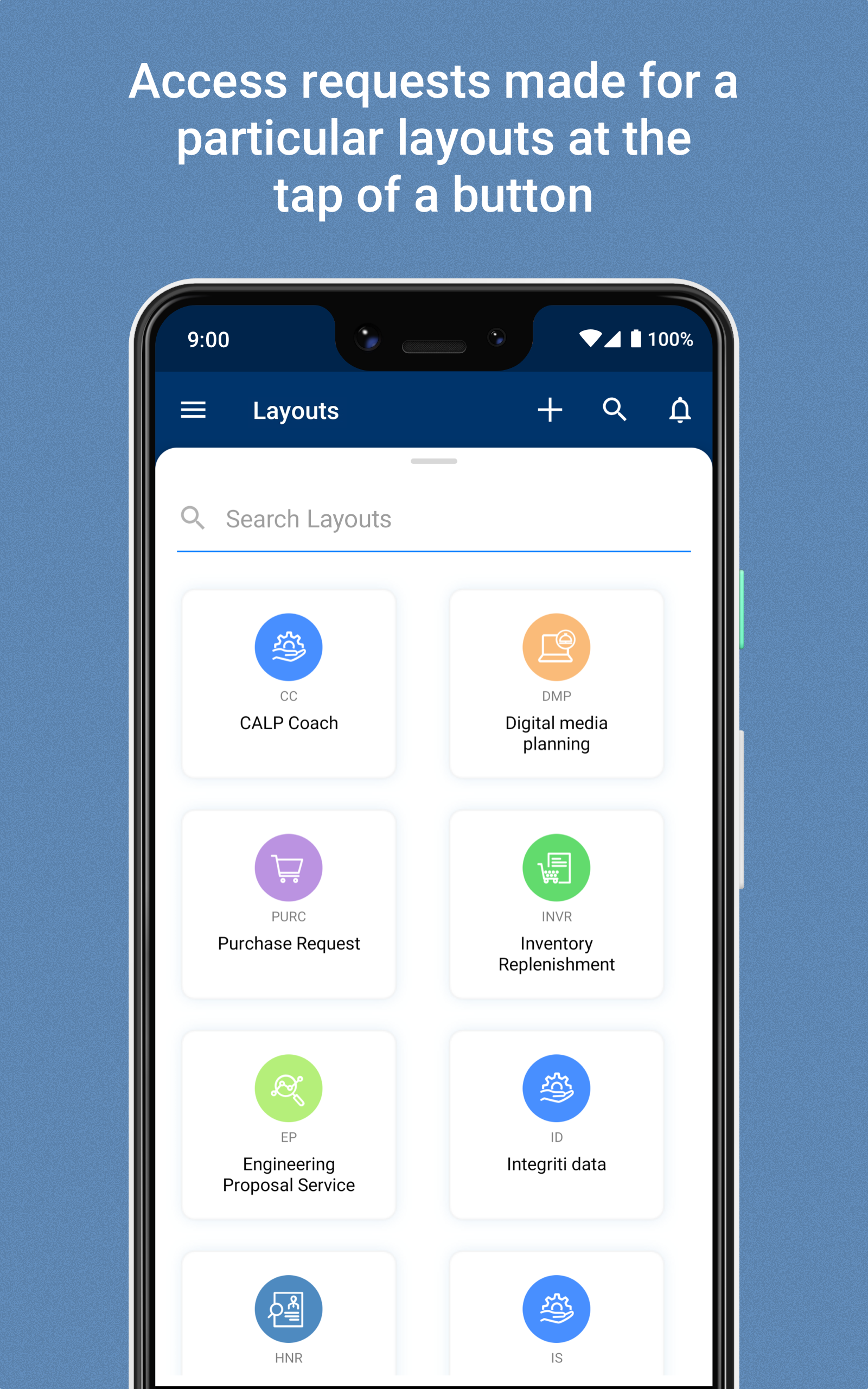
Qntrl - Workflow Management includes 10 screenshots in the current listing data. Use them to confirm the interface, account prompts, ads, paywalls, editing tools, game style, or workflow before you open the source page. Screenshots are evidence of presentation, not independent proof of package behavior.
Use case fit
Qntrl - Workflow Management is summarized as: "#1 App to manage your processes with complete visibility, control and automation" Compare that promise with the screenshots, category, update notes, and related apps before installing.
Version and compatibility
The listing shows version 3.1.0, Android requirement not listed, package size not listed, and last update Jan 20, 2026. These details matter because older devices, large packages, and stale updates can change the install experience.
Privacy and permissions
Qntrl - Workflow Management does not include a permission list in the current metadata, so review the source listing and Android install prompt carefully.
Review checklist
- Confirm the developer name and source listing before installing.
- Review version, Android requirement, package size, and update date.
- Compare requested permission access with the feature you actually need.
- Read recent change notes and ratings as signals, not as guarantees of safety.
Comparison prompts
- Compare Qntrl - Workflow Management's developer and source link with other Business options before installing.
- Check whether version 3.1.0 and Android not listed match your device.
- Review the source listing carefully because FungoApp does not currently have a permission list for this app.
- Compare against related listings such as Invoice Generator - Zoho and Zoho Invoice - Invoice Maker for feature scope and privacy tradeoffs.
Publisher notes
- FungoApp organizes public listing metadata into review notes and comparison checklists for Qntrl - Workflow Management.
- FungoApp does not host the APK file, modify the app package, or claim independent file verification from the current data.
- The 5.0 rating is positive, though rating volume and recent reviews should be checked on the source listing before treating it as a strong quality signal. 5,000+ installs provide a modest adoption signal; compare it with category fit and developer transparency.
Developer-provided description
Qntrl is a workflow orchestration software that helps you gain visibility and control over your business processes by automating them.
What does Qntrl do?
Automates and orchestrates business processes and standard operating procedures
Executes workflows with tracking, compliance and audits
Helps optimize workflows with operational insights
Works for any department, any workflow
How does it benefit the business users of Qntrl?
Centralization and Visibility:
Centralized request submissions
Customized work views
Real-time status updates
Process Compliance
Responsibilities defined at each stage
Automated process checks
Business policies enforced
Process Automation
Requests assigned automatically
Workflow stages and action automated, when needed
Documents generated automatically
Workflow-Centric Collaboration
Access contextual data when required
Share updates and receive feedback
Keep stakeholders informed via email or chat
Reports and Dashboards
Default workflow usage and duration reports
Custom reports
SLAs
User management
Add or edit users, with roles and profiles
This app is for the business users of Qntrl. If you are an IT user who would like to set up the orchestrations, please visit https://core.qntrl.com/ on your desktop.
Requirements (Latest version)
Android requirement is not listed in the current metadata.


