




About this listing
Perfect Viewer is listed with version, update, developer, screenshots, permissions, source, and compatibility details from the available app metadata.
APK and source facts
Before you install
- Android requirement is not listed in the current data.
- Package size is not listed in the current data.
- The source link points to a Google Play listing.
Listing evidence
Perfect Viewer includes version 5.0.4.4, last update Jun 9, 2025, 21 screenshots, privacy policy link in the current metadata.
The current metadata notes that permission list is not available.
FungoApp review for Perfect Viewer
Perfect Viewer by Rookie001 is listed in Comics. This page organizes the available metadata into a practical review format, including version 5.0.4.4, Android requirement not listed, update date Jun 9, 2025, rating 4.1 out of 5, and install signal 5,000,000+.
Browse Android app listings with metadata, source links, version details, compatibility notes, screenshots, and permission signals that help you compare apps before installing. For Perfect Viewer, use the details below as a checklist before you decide whether the app fits your device, privacy expectations, and use case.
Install decision context for Perfect Viewer
Perfect Viewer is best reviewed as a Comics listing from Rookie001, not as a direct APK file from FungoApp. The current signals show version 5.0.4.4, Android requirement not listed, last update Jun 9, 2025, rating 4.1 out of 5, install signal 5,000,000+, and monetization that does not list ads in the current data and does not list in-app purchases in the current data. Use those signals together: a popular listing can still be a poor fit if the permissions, update age, or account requirements do not match your intended use.
Use-case fit analysis
Perfect Viewer is presented around this purpose: "The most powerful and fast image/comics viewer." A good fit is more likely when that purpose matches the category, screenshots, version history, and the kind of access the app requests. If you only need a narrow task, compare this listing with simpler alternatives before leaving FungoApp for the external source.
Permissions and privacy interpretation
Perfect Viewer does not include a permission list in the current FungoApp data. That missing field reduces review confidence, so readers should check the Android install prompt and source listing before using personal data or granting sensitive access.
Version and update interpretation
The listing shows version 5.0.4.4, updated Jun 9, 2025, package size not listed, and Android requirement not listed. Newer updates can indicate maintenance, but the practical question is whether the listed Android requirement fits your device and whether recent changes explain why the app needs its current permissions and storage footprint.
Screenshot review prompts
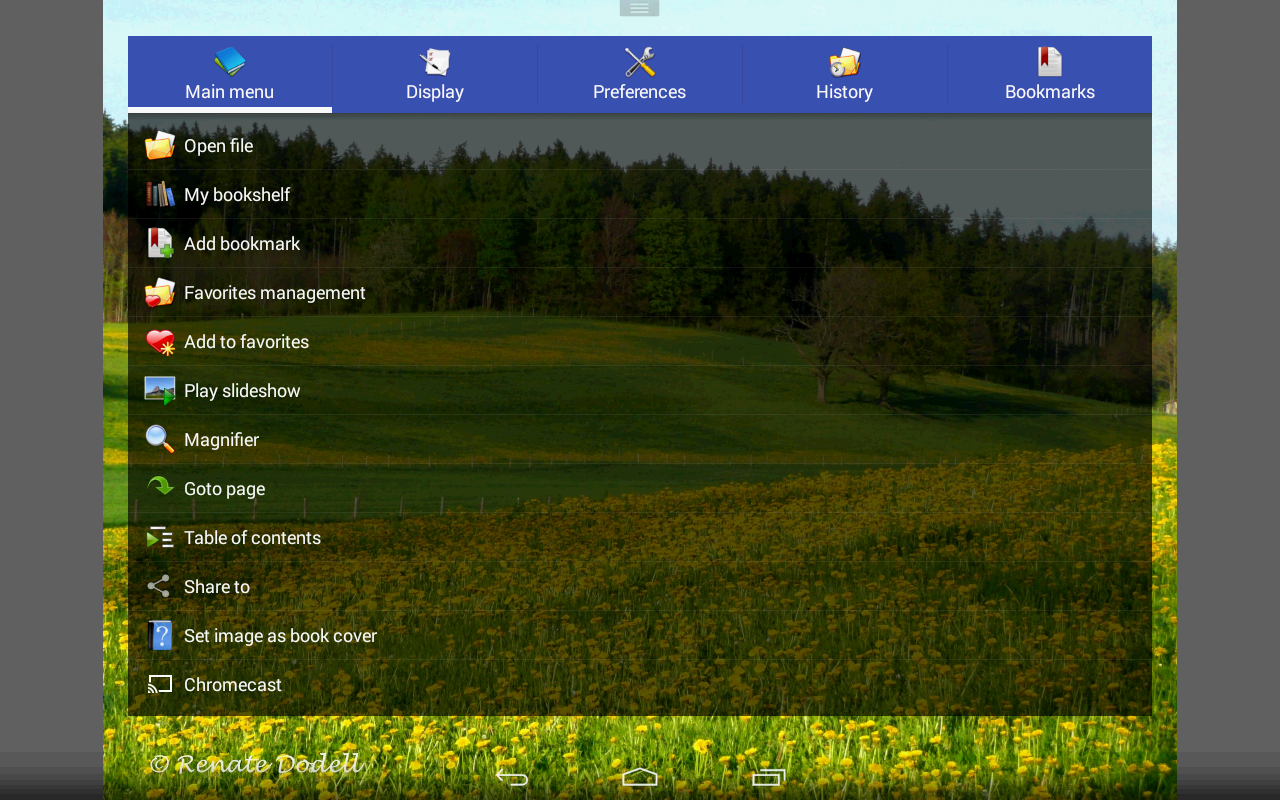
Perfect Viewer includes 21 screenshots in the current listing data. Use them to confirm the interface, account prompts, ads, paywalls, editing tools, game style, or workflow before you open the source page. Screenshots are evidence of presentation, not independent proof of package behavior.
Use case fit
Perfect Viewer is summarized as: "The most powerful and fast image/comics viewer." Compare that promise with the screenshots, category, update notes, and related apps before installing.
Version and compatibility
The listing shows version 5.0.4.4, Android requirement not listed, package size not listed, and last update Jun 9, 2025. These details matter because older devices, large packages, and stale updates can change the install experience.
Privacy and permissions
Perfect Viewer does not include a permission list in the current metadata, so review the source listing and Android install prompt carefully.
Review checklist
- Confirm the developer name and source listing before installing.
- Review version, Android requirement, package size, and update date.
- Compare requested permission access with the feature you actually need.
- Read recent change notes and ratings as signals, not as guarantees of safety.
Comparison prompts
- Compare Perfect Viewer's developer and source link with other Comics options before installing.
- Check whether version 5.0.4.4 and Android not listed match your device.
- Review the source listing carefully because FungoApp does not currently have a permission list for this app.
- Compare against related listings such as Bonelli Digital Classic and Shonen Jump Manga & Comics for feature scope and privacy tradeoffs.
Publisher notes
- FungoApp organizes public listing metadata into review notes and comparison checklists for Perfect Viewer.
- FungoApp does not host the APK file, modify the app package, or claim independent file verification from the current data.
- The 4.1 rating is positive, though rating volume and recent reviews should be checked on the source listing before treating it as a strong quality signal. 5,000,000+ installs indicate broad usage, which helps with discovery but does not prove the package is appropriate for every device or privacy expectation.
Developer-provided description
*Turn black/white image into 4 colorize image(Only available for donated users. Need install Perfect Viewer donation application).
*Page layout: Auto single page, Auto dual page, Auto switch by screen orientation
*Support eEook file format: EPUB, HTML, TXT
*Support image file format: JPEG, PNG, GIF, BMP, WebP, TIFF
*Support archive file format: CBZ/ZIP, CBR/RAR, 7Z/CB7, LZH, CBT/TAR
*Support PDF, XPS & DJVU file after install the PDF plugin
*Open file from network file sharing(CIFS/SAMBA), FTP, SFTP, FTPS, OPDS
*Require internet permission for CIFS/SAMBA support.
*Support open files from Google Drive, Dropbox, OneDrive after install the source plugin
*Require "GET_ACCOUNTS" and "USE_CREDENTIALS" permission for Google Drive support
*Support 3 viewer mode: Page mode, Vertical scroll mode (PDF viewer,webtoon like) and Horizontal scroll mode.
*Smooth filters: Averaging, Bilinear, Bicubic, Lanczos3;
*Five view mode: Full size, Fit Screen, Fit Width, Fit Height, Fixed size, Stretch;
*Support Left-to-right & right-to-left reading
*Set image as wallpaper
*Browse image in folder/archive as thumbnail
*Bookshelf function
*Support pinch to zoom & fling gesture
*Simple bookmark function
*My favorites management
*Cache next and previous page
*Simple file management(delete, rename)
*Slideshow
*Support extract files from archive
*Adjust image brightness,contrast & gamma
*Auto cut off white border.
*Support Google Chromecast
*Balloon magnifier
Requirements (Latest version)
Android requirement is not listed in the current metadata.


