



About this listing
Video Merge: Joiner & Combiner is listed with version, update, developer, screenshots, permissions, source, and compatibility details from the available app metadata.
APK and source facts
Before you install
- Android requirement is not listed in the current data.
- Package size is not listed in the current data.
- The source link points to a Google Play listing.
Listing evidence
Video Merge: Joiner & Combiner includes version 3.0, last update Oct 17, 2025, 15 screenshots, privacy policy link in the current metadata.
The current metadata notes that permission list is not available.
FungoApp review for Video Merge: Joiner & Combiner
Video Merge: Joiner & Combiner by photoshop mobile apps is listed in Video Players & Editors. This page organizes the available metadata into a practical review format, including version 3.0, Android requirement not listed, update date Oct 17, 2025, rating 4.7 out of 5, and install signal 5,000,000+.
Browse Android app listings with metadata, source links, version details, compatibility notes, screenshots, and permission signals that help you compare apps before installing. For Video Merge: Joiner & Combiner, use the details below as a checklist before you decide whether the app fits your device, privacy expectations, and use case.
Install decision context for Video Merge: Joiner & Combiner
Video Merge: Joiner & Combiner is best reviewed as a Video Players & Editors listing from photoshop mobile apps, not as a direct APK file from FungoApp. The current signals show version 3.0, Android requirement not listed, last update Oct 17, 2025, rating 4.7 out of 5, install signal 5,000,000+, and monetization that contains ads and offers in-app purchases. Use those signals together: a popular listing can still be a poor fit if the permissions, update age, or account requirements do not match your intended use.
Use-case fit analysis
Video Merge: Joiner & Combiner is presented around this purpose: "Merge videos side-by-side or in sequence. Add music, trim audio & save in HD." A good fit is more likely when that purpose matches the category, screenshots, version history, and the kind of access the app requests. If you only need a narrow task, compare this listing with simpler alternatives before leaving FungoApp for the external source.
Permissions and privacy interpretation
Video Merge: Joiner & Combiner does not include a permission list in the current FungoApp data. That missing field reduces review confidence, so readers should check the Android install prompt and source listing before using personal data or granting sensitive access.
Version and update interpretation
The listing shows version 3.0, updated Oct 17, 2025, package size not listed, and Android requirement not listed. Newer updates can indicate maintenance, but the practical question is whether the listed Android requirement fits your device and whether recent changes explain why the app needs its current permissions and storage footprint.
Screenshot review prompts
Video Merge: Joiner & Combiner includes 15 screenshots in the current listing data. Use them to confirm the interface, account prompts, ads, paywalls, editing tools, game style, or workflow before you open the source page. Screenshots are evidence of presentation, not independent proof of package behavior.
Use case fit
Video Merge: Joiner & Combiner is summarized as: "Merge videos side-by-side or in sequence. Add music, trim audio & save in HD." Compare that promise with the screenshots, category, update notes, and related apps before installing.
Version and compatibility
The listing shows version 3.0, Android requirement not listed, package size not listed, and last update Oct 17, 2025. These details matter because older devices, large packages, and stale updates can change the install experience.
Privacy and permissions
Video Merge: Joiner & Combiner does not include a permission list in the current metadata, so review the source listing and Android install prompt carefully.
Review checklist
- Confirm the developer name and source listing before installing.
- Review version, Android requirement, package size, and update date.
- Compare requested permission access with the feature you actually need.
- Read recent change notes and ratings as signals, not as guarantees of safety.
Comparison prompts
- Compare Video Merge: Joiner & Combiner's developer and source link with other Video Players & Editors options before installing.
- Check whether version 3.0 and Android not listed match your device.
- Review the source listing carefully because FungoApp does not currently have a permission list for this app.
- Compare against related listings such as Video Speed Changer: SlowMo and Video Splitter - Status Maker for feature scope and privacy tradeoffs.
Publisher notes
- FungoApp organizes public listing metadata into review notes and comparison checklists for Video Merge: Joiner & Combiner.
- FungoApp does not host the APK file, modify the app package, or claim independent file verification from the current data.
- The 4.7 rating with 167,370 rating entries is a useful popularity signal, but it should still be checked against update date, permissions, and the source listing. 5,000,000+ installs indicate broad usage, which helps with discovery but does not prove the package is appropriate for every device or privacy expectation.
Developer-provided description
Video Joiner & Merger is your all-in-one professional video editing tool. Whether you want to join unlimited video clips, create amazing video collages, or mix audio with video, our app does it all in seconds.
Designed for both beginners and pro creators, this app lets you merge videos Side-by-Side or in Sequence without any quality loss. Perfect for creating content for Instagram Reels, YouTube Shorts, TikTok, and WhatsApp Status.
🔥 ADVANCED KEY FEATURES:
1. Professional Video Merger & Joiner Combine multiple video clips into one seamless movie instantly.
• Unlimited Merging: Join as many videos as you want.
• No Quality Loss: Compress and combine videos while maintaining high resolution.
• Format Support: Works smoothly with MP4, AVI, MKV, and all major video formats.
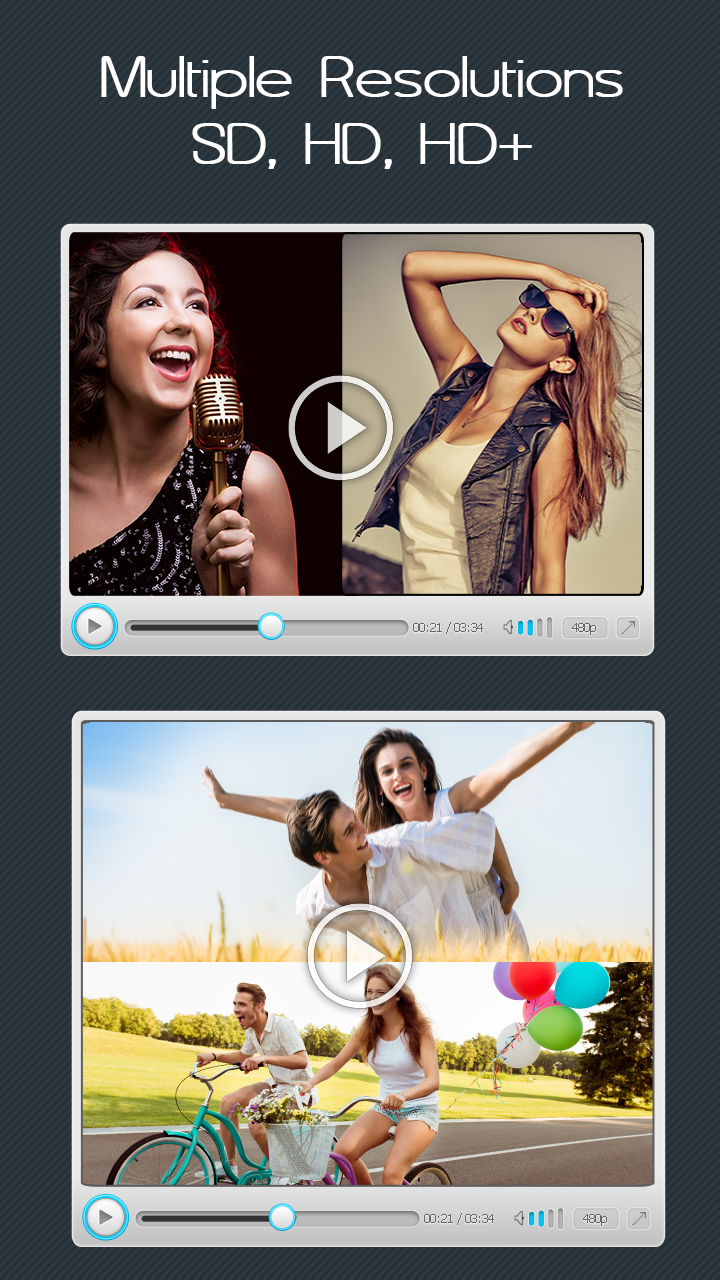
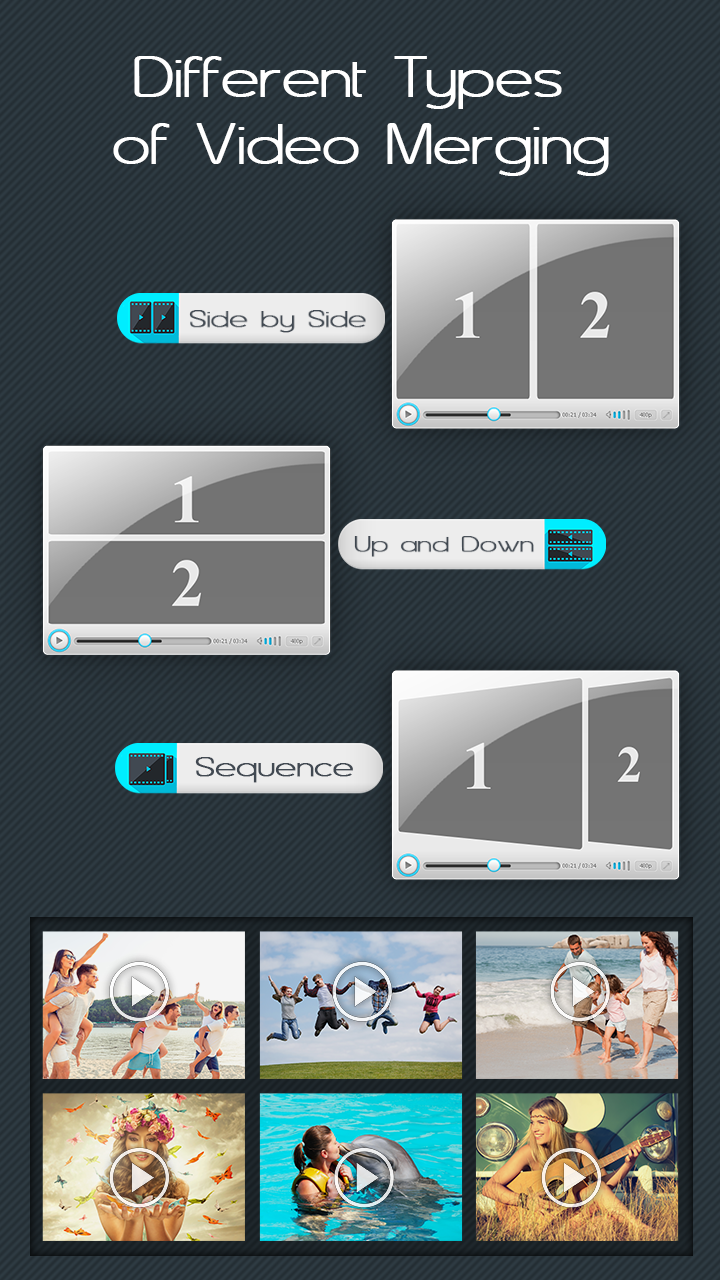
2. Video Collage Maker (Side-by-Side) Don't just join videos linearly! Create trendy split-screen videos to compare clips or show multiple angles.
• Side by Side: Play two videos next to each other horizontally.
• Up and Down: Stack videos vertically (perfect for reaction videos).
• Play Together: Watch multiple clips start and play at the exact same time.
3. Powerful Audio Mixer & Editor Video is nothing without great sound. Take complete control over your audio tracks.
• Add Background Music: Import songs from your music library to replace or mix with original audio.
• Audio Trimmer: Select the specific part of the song you want (Set Start/End time precisely).
• Volume Management: Adjust the original video volume and the added music volume separately. Fade in/out support.
4. Fit to Frame (Social Media Ready) Never crop your important moments again. Adjust your video canvas to fit any platform perfectly:
• Instagram & TikTok (9:16): Perfect for Stories and Reels.
• YouTube (16:9): Ideal for Vlogs and long-form videos.
• Square (1:1): Best for Facebook and Instagram posts.
• Backgrounds: Add Blur backgrounds, custom colors, or stylish patterns to fill the empty space.
5. HD Export & Instant Sharing
• Ultra HD Quality: Save your final creation in 720p or 1080p (Full HD).
• Fast Rendering: Super fast processing speed even for large videos.
• Share Anywhere: Share directly to WhatsApp, Instagram, Facebook, Email, and YouTube with one tap.
🌟 WHY CHOOSE US?
• User-Friendly Interface: No editing knowledge required. Just tap and merge.
• No Watermark Option: Create professional-looking videos without branding.
• Offline Support: Merge videos without needing an internet connection.
🎬 PERFECT FOR:
• Vloggers: Combine your travel clips into one vlog.
• Fitness Coaches: Show "Before & After" exercises using the Side-by-Side feature.
• Birthday Wishes: Join messages from friends into one birthday video.
• Dancers & Singers: Sync your video with high-quality audio.
❓ HOW TO USE:
1. Tap on "Merge Video" and select clips from your gallery.
2. Choose a Style: Sequence (Joiner) or Side-by-Side (Collage).
3. Adjust the Canvas (Ratio) for your target platform.
4. Tap the Music Icon to add or trim background audio.
5. Save in HD Quality and share with friends!
Turn your separate clips into a complete story. Download Video Joiner -
Merger & Combiner now and start creating amazing video stories today!
Requirements (Latest version)
Android requirement is not listed in the current metadata.