




About this listing
Snapseed is listed with version, update, developer, screenshots, permissions, source, and compatibility details from the available app metadata.
APK and source facts
Before you install
- Android requirement is not listed in the current data.
- Package size is not listed in the current data.
- The source link points to a Google Play listing.
Listing evidence
Snapseed includes version Varies with device, last update May 23, 2024, 10 screenshots, privacy policy link in the current metadata.
The current metadata notes that permission list is not available.
FungoApp review for Snapseed
Snapseed by Google LLC is listed in Photography. This page organizes the available metadata into a practical review format, including version Varies with device, Android requirement not listed, update date May 23, 2024, rating 4.0 out of 5, and install signal 100,000,000+.
Browse Android app listings with metadata, source links, version details, compatibility notes, screenshots, and permission signals that help you compare apps before installing. For Snapseed, use the details below as a checklist before you decide whether the app fits your device, privacy expectations, and use case.
Install decision context for Snapseed
Snapseed is best reviewed as a Photography listing from Google LLC, not as a direct APK file from FungoApp. The current signals show version Varies with device, Android requirement not listed, last update May 23, 2024, rating 4.0 out of 5, install signal 100,000,000+, and monetization that does not list ads in the current data and does not list in-app purchases in the current data. Use those signals together: a popular listing can still be a poor fit if the permissions, update age, or account requirements do not match your intended use.
Use-case fit analysis
Snapseed is presented around this purpose: "Professional quality photo edits with the new Snapseed." A good fit is more likely when that purpose matches the category, screenshots, version history, and the kind of access the app requests. If you only need a narrow task, compare this listing with simpler alternatives before leaving FungoApp for the external source.
Permissions and privacy interpretation
Snapseed does not include a permission list in the current FungoApp data. That missing field reduces review confidence, so readers should check the Android install prompt and source listing before using personal data or granting sensitive access.
Version and update interpretation
The listing shows version Varies with device, updated May 23, 2024, package size not listed, and Android requirement not listed. Newer updates can indicate maintenance, but the practical question is whether the listed Android requirement fits your device and whether recent changes explain why the app needs its current permissions and storage footprint.
Screenshot review prompts
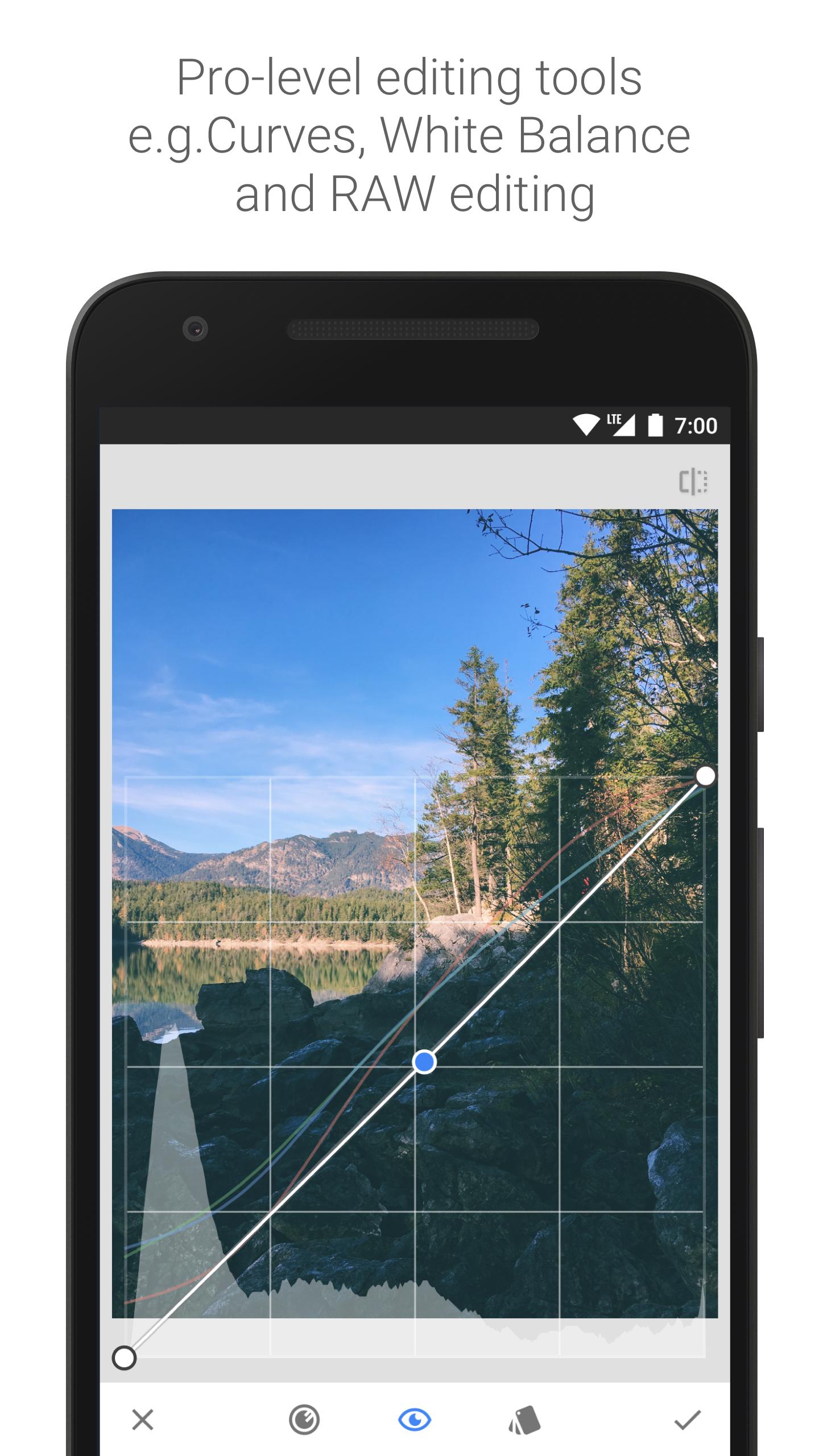
Snapseed includes 10 screenshots in the current listing data. Use them to confirm the interface, account prompts, ads, paywalls, editing tools, game style, or workflow before you open the source page. Screenshots are evidence of presentation, not independent proof of package behavior.
Use case fit
Snapseed is summarized as: "Professional quality photo edits with the new Snapseed." Compare that promise with the screenshots, category, update notes, and related apps before installing.
Version and compatibility
The listing shows version Varies with device, Android requirement not listed, package size not listed, and last update May 23, 2024. These details matter because older devices, large packages, and stale updates can change the install experience.
Privacy and permissions
Snapseed does not include a permission list in the current metadata, so review the source listing and Android install prompt carefully.
Review checklist
- Confirm the developer name and source listing before installing.
- Review version, Android requirement, package size, and update date.
- Compare requested permission access with the feature you actually need.
- Read recent change notes and ratings as signals, not as guarantees of safety.
Comparison prompts
- Compare Snapseed's developer and source link with other Photography options before installing.
- Check whether version Varies with device and Android not listed match your device.
- Review the source listing carefully because FungoApp does not currently have a permission list for this app.
- Compare against related listings such as Google Photos and Gallery for feature scope and privacy tradeoffs.
Publisher notes
- FungoApp organizes public listing metadata into review notes and comparison checklists for Snapseed.
- FungoApp does not host the APK file, modify the app package, or claim independent file verification from the current data.
- The 4.0 rating suggests readers should compare recent reviews, alternatives, and the app's stated purpose carefully. 100,000,000+ installs indicate broad usage, which helps with discovery but does not prove the package is appropriate for every device or privacy expectation.
Developer-provided description
== KEY FEATURES==
• 29 Tools and Filters, including: Healing, Brush, Structure, HDR, Perspective (see list below)
• Opens JPG and RAW files
• Save your personal looks and apply them to new photos later
• Selective filter brush
• All styles can be tweaked with fine, precise control
== TOOLS, FILTERS AND FACE ==
• RAW Develop – open and tweak RAW DNG files; save non-destructively or export as JPG
• Tune image – adjust exposure and color automatically or manually with fine, precise control
• Details – magically brings out surface structures in images
• Crop – crop to standard sizes or freely
• Rotate – rotate by 90°, or straighten a skewed horizon
• Perspective – fix skewed lines and perfect the geometry of horizons or buildings
• White Balance – adjust the colors so that the image looks more natural
• Brush – selectively retouch exposure, saturation, brightness or warmth
• Selective – the renown “Control Point” technology: Position up to 8 points on the image and assign enhancements, the algorithm does the rest magically
• Healing – remove the uninvited neighbor from a group picture
• Vignette – add a soft darkness around the corners like a beautiful, wide-aperture would do
• Text – add both stylized or plain text
• Curves - have precise control over the brightness levels in your photos
• Expand - increase the size of your canvas and fill up the new space in smart ways with content of your image
• Lens Blur – add a beautiful Bokeh to images (background softening), ideal for photographic portraits
• Glamour Glow – add a fine glow to images, great for fashion or portraits
• Tonal Contrast – boost details selectively in the shadows, midtones and highlights
• HDR Scape – bring a stunning look to your images by creating the effect of multiple exposures
• Drama – add a hint of doomsday to your images (6 styles)
• Grunge – an edgy look with strong styles and texture overlays
• Grainy Film – get modern film looks with realistic grain
• Vintage – the style of color film photo from the 50’s, 60’s or 70’s
• Retrolux – go retro with light leaks, scratches, film styles
• Noir – Black and White film looks with realistic grain and the “wash” effect
• Black & White – classic Black and White look straight out of the darkroom
• Frames – add frames with adjustable size
• Double Exposure - blend two photos, choosing from blend modes that are inspired by shooting on film and by digital image processing
• Face Enhance – add focus to the eyes, add face-specific lighting, or smoothen skin
• Face Pose - correct the pose of portraits based on three dimensional models
Requirements (Latest version)
Android requirement is not listed in the current metadata.


