



About this listing
Quick Medical Diagnosis is listed with version, update, developer, screenshots, permissions, source, and compatibility details from the available app metadata.
APK and source facts
Before you install
- Android requirement is not listed in the current data.
- Package size is not listed in the current data.
- The source link points to a Google Play listing.
Listing evidence
Quick Medical Diagnosis includes version 11.5.716, last update Nov 18, 2020, 18 screenshots, privacy policy link in the current metadata.
The current metadata notes that permission list is not available.
FungoApp review for Quick Medical Diagnosis
Quick Medical Diagnosis by MobiSystems is listed in Medical. This page organizes the available metadata into a practical review format, including version 11.5.716, Android requirement not listed, update date Nov 18, 2020, rating 4.2 out of 5, and install signal 100,000+.
Browse Android app listings with metadata, source links, version details, compatibility notes, screenshots, and permission signals that help you compare apps before installing. For Quick Medical Diagnosis, use the details below as a checklist before you decide whether the app fits your device, privacy expectations, and use case.
Install decision context for Quick Medical Diagnosis
Quick Medical Diagnosis is best reviewed as a Medical listing from MobiSystems, not as a direct APK file from FungoApp. The current signals show version 11.5.716, Android requirement not listed, last update Nov 18, 2020, rating 4.2 out of 5, install signal 100,000+, and monetization that contains ads and offers in-app purchases. Use those signals together: a popular listing can still be a poor fit if the permissions, update age, or account requirements do not match your intended use.
Use-case fit analysis
Quick Medical Diagnosis is presented around this purpose: "Authoritative clinical guidance on more than 950 diseases and disorders." A good fit is more likely when that purpose matches the category, screenshots, version history, and the kind of access the app requests. If you only need a narrow task, compare this listing with simpler alternatives before leaving FungoApp for the external source.
Permissions and privacy interpretation
Quick Medical Diagnosis does not include a permission list in the current FungoApp data. That missing field reduces review confidence, so readers should check the Android install prompt and source listing before using personal data or granting sensitive access.
Version and update interpretation
The listing shows version 11.5.716, updated Nov 18, 2020, package size not listed, and Android requirement not listed. Newer updates can indicate maintenance, but the practical question is whether the listed Android requirement fits your device and whether recent changes explain why the app needs its current permissions and storage footprint.
Screenshot review prompts
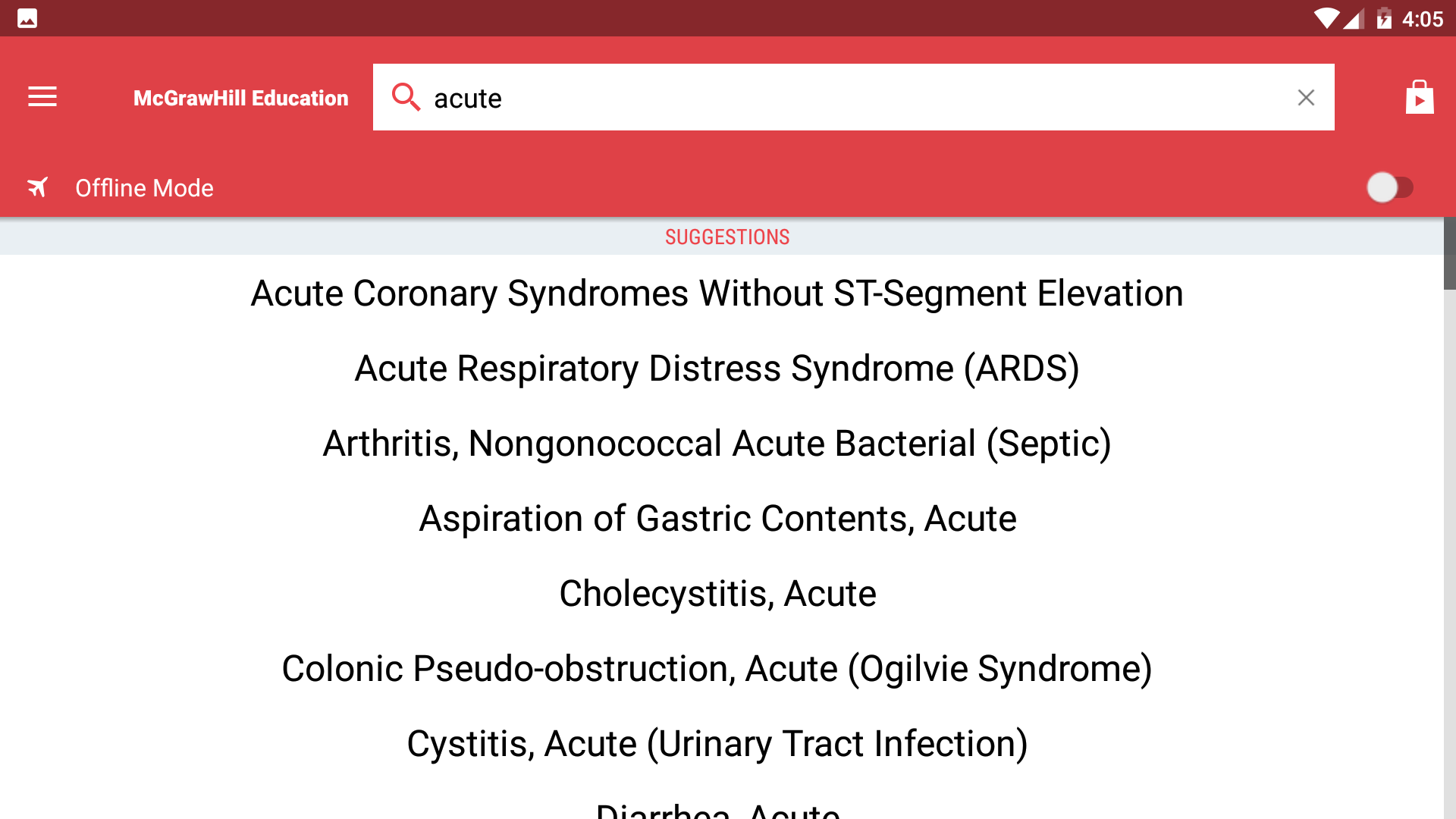
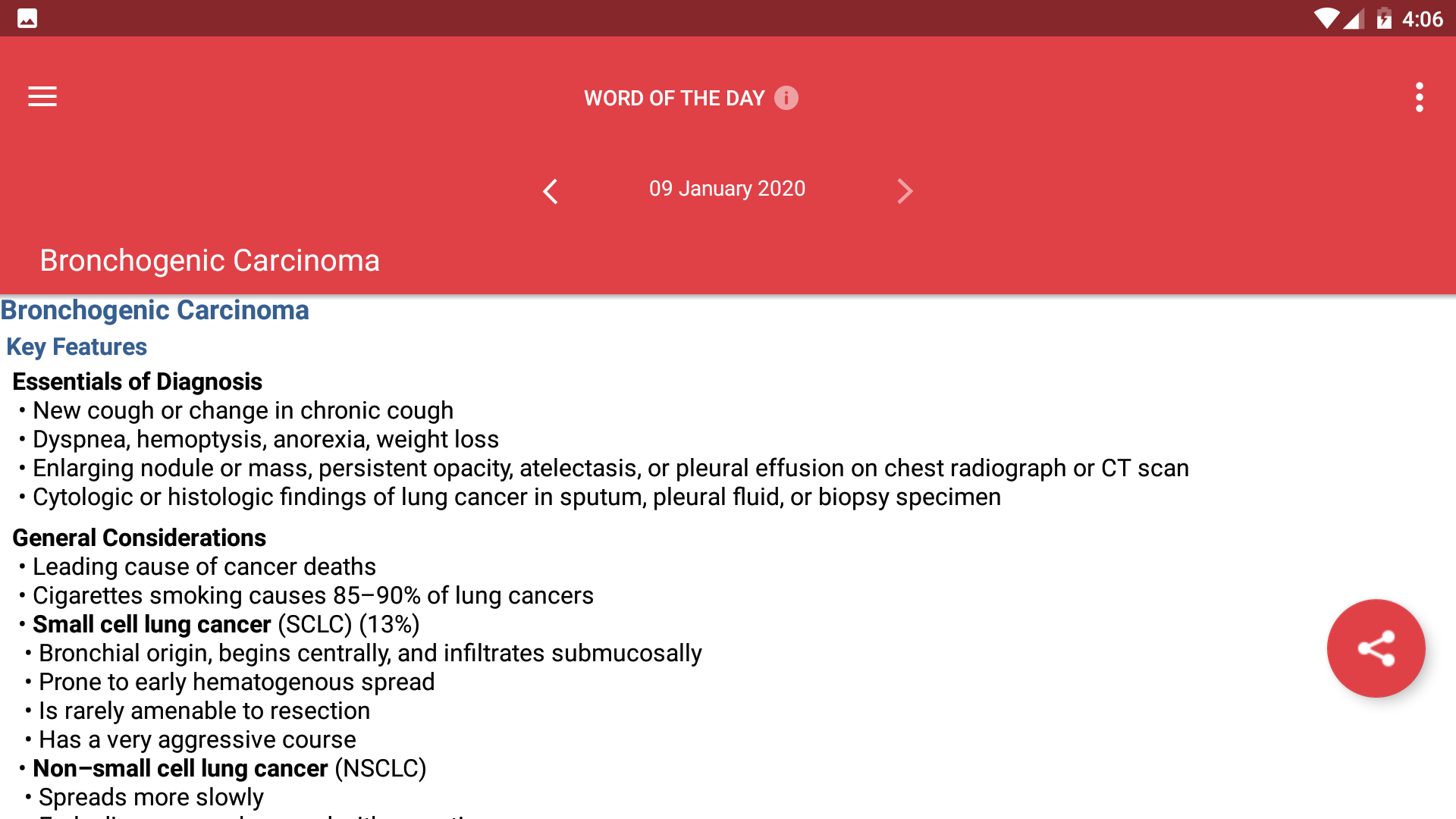
Quick Medical Diagnosis includes 18 screenshots in the current listing data. Use them to confirm the interface, account prompts, ads, paywalls, editing tools, game style, or workflow before you open the source page. Screenshots are evidence of presentation, not independent proof of package behavior.
Use case fit
Quick Medical Diagnosis is summarized as: "Authoritative clinical guidance on more than 950 diseases and disorders." Compare that promise with the screenshots, category, update notes, and related apps before installing.
Version and compatibility
The listing shows version 11.5.716, Android requirement not listed, package size not listed, and last update Nov 18, 2020. These details matter because older devices, large packages, and stale updates can change the install experience.
Privacy and permissions
Quick Medical Diagnosis does not include a permission list in the current metadata, so review the source listing and Android install prompt carefully.
Review checklist
- Confirm the developer name and source listing before installing.
- Review version, Android requirement, package size, and update date.
- Compare requested permission access with the feature you actually need.
- Read recent change notes and ratings as signals, not as guarantees of safety.
Comparison prompts
- Compare Quick Medical Diagnosis's developer and source link with other Medical options before installing.
- Check whether version 11.5.716 and Android not listed match your device.
- Review the source listing carefully because FungoApp does not currently have a permission list for this app.
- Compare against related listings such as Critical Care Handbook of MGH and Paratus Medical for feature scope and privacy tradeoffs.
Publisher notes
- FungoApp organizes public listing metadata into review notes and comparison checklists for Quick Medical Diagnosis.
- FungoApp does not host the APK file, modify the app package, or claim independent file verification from the current data.
- The 4.2 rating is positive, though rating volume and recent reviews should be checked on the source listing before treating it as a strong quality signal. 100,000+ installs provide a modest adoption signal; compare it with category fit and developer transparency.
Developer-provided description
***This is a fully functional 1-day trial version***
FEATURES:
• Immediate access to critical information -Content derived from Current Medical Diagnosis & Treatment (CMDT), the world's most trusted annually updated internal medicine text
• Disease entries include Key Features, Clinical Findings, Diagnosis, Treatment, Outcomes, and Evidence
• Periodical updates to ensure clinical information is accurate and up to date
Edited by:
Maxine A. Papadakis - MD Professor of Medicine Associate Dean of Students School of Medicine University of California, San Francisco
Stephen J. McPhee - MD Professor of Medicine, Emeritus Division of General Internal Medicine Department of Medicine University of California, San Francisco
NEW! Translate words in any other Android app with the Tap to Translate feature, and do it in style with any of the colorful new themes.
Also includes advanced search and language tools that have become the staple of quality language apps from MobiSystems, Inc.
SEARCH TOOLS - effortlessly find words thanks to a clear, functional, and easy-to-use interface.
Designed to provide the most comprehensive search experience the dictionary combines several search tools to match or suggest what you are looking for, including:
• Search autocomplete helps you find words quickly by displaying predictions as you type
• Keyword lookup allows you to search within compound words and phrases
• Looking for a specific word but don't know how it's spelled? We've got you covered with our automatic ‘Fuzzy filter’ to correct word spelling, as well as ‘Wild card’ ('*' or '?') to replace a letter or entire parts of a word
• Camera search looks up words in the camera viewfinder and displays results in seconds.
• Use our Voice search when you don't know how an entry is spelled
• NEW! Tap to Translate entries in other apps.
• Share word definitions via installed apps on your device
LEARNING TOOLS - engaging features that help you further enhance your vocabulary.
• Designed to give you the freedom to structure your studies the way you see fit the 'Favorites' option allows you to create custom folders with lists of words from the vast library of entries.
• ‘Recent’ list to easily review looked-up words
• Learn a new word every day with our ‘Word of the day’ option.
• Home screen widget providing random words at a glance
Get even more with PREMIUM:
• Permanently unlock the complete features list
• Offline mode - No WiFi, no problem. Save words on your device to be viewed without the need of an internet connection
• Priority support - Get expedited support for any app-related issues
• No ads - no more in-app advertisements
Requirements (Latest version)
Android requirement is not listed in the current metadata.