

This is third-party app info. Not affiliated with the developer.
Video Compressor - Video Converter: Fast & Powerful Video Conversion and Compression
Video Compressor - Video Converter is your go-to app for fast and efficient video compression and format conversion. Shrink large video files without losing quality and easily convert videos into any format of your choice.
With Video Compressor - Video Converter, you can reduce the size of large video files without compromising HD quality. Share or upload compressed videos directly to platforms like Facebook, Instagram, and WhatsApp with ease, all while maintaining the same visual clarity.
This versatile app also allows you to:
• Convert videos to audio files
• Create time-lapse or slow-motion videos
• Reverse videos
• Trim, cut, or merge multiple videos and audios
• Convert video formats
• Create video loops or GIFs
• Crop videos and even set custom ringtones
It’s the fastest video-to-MP3, MP4-to-MP3, and video-to-audio converter available, offering additional features like adjusting audio speed and boosting volume—all for free and in high quality.
Supports a Wide Range of Formats:
• Video Formats: MP4, AVI, ASF, WMV, F4V, M4V, MOV, MPEG, MKV, 3GP, FLV, MTS, WEBM
• Audio Formats: MP3, M4A, WAV, WMA, FLAC, AAC, OGG
• Codecs Supported: x264, x265, VP8, VP9, MPEG2, MPEG4, XVID, MP2, MP3, AAC, AC3, WMAV1, WMAV2, VORBIS
Main Features of Video Converter:
• Compress Video: Reduce file size without losing quality
• Trim or Cut Audio: Quickly trim or cut audio files
• Merge Audios: Combine multiple audio files into one
• Time-Lapse & Fast Video: Create fast-motion videos
• Slow Motion Video: Add slow-motion effects
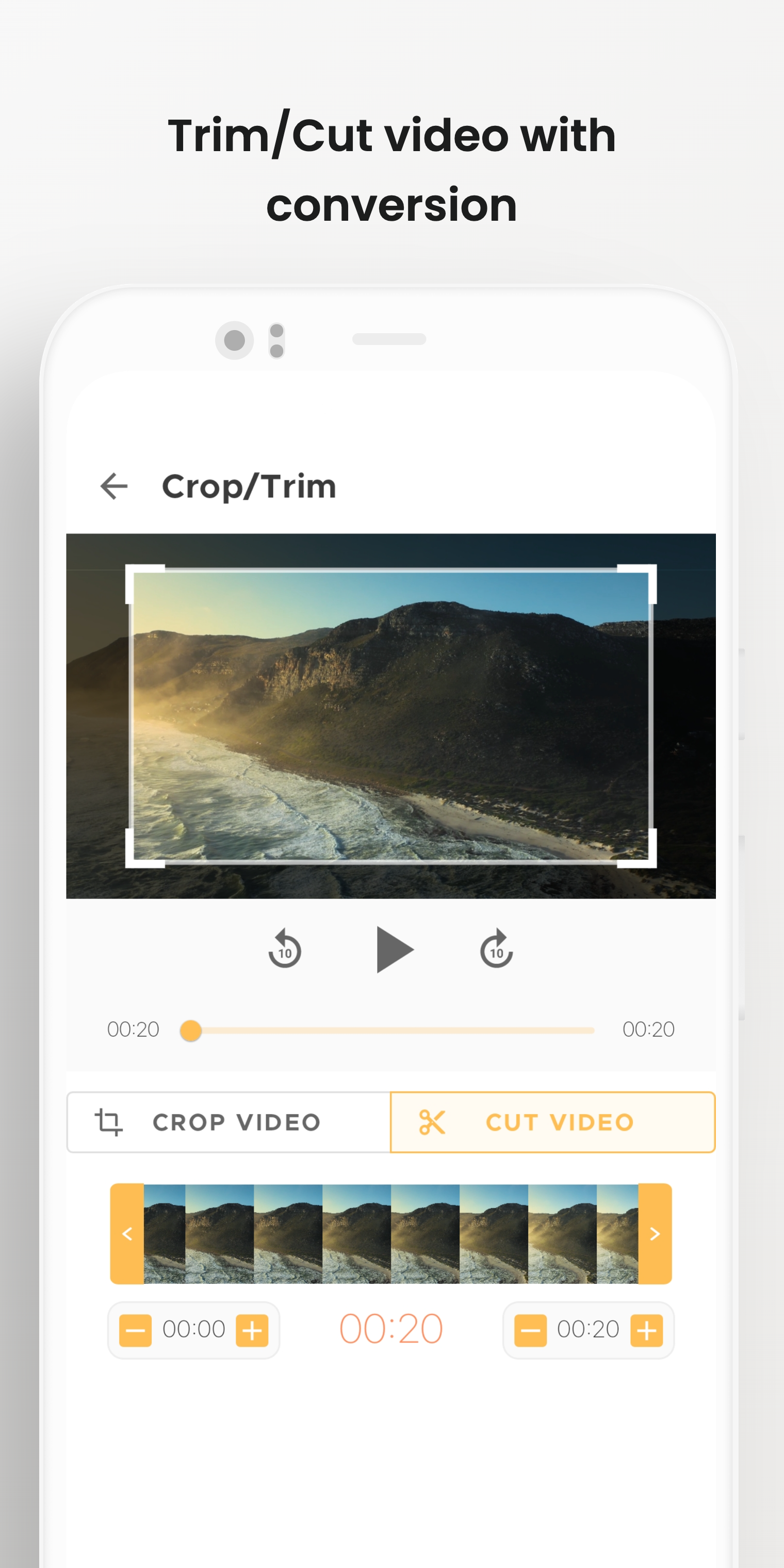
• Crop Video: Easily remove unwanted sections
• Trim or Cut Video: Edit videos to your desired length
• Merge Videos: Combine multiple videos seamlessly
• Video to Audio Converter: Extract audio from videos
• Full Video Conversion: Convert videos into any format
• Rotate & Flip Video: Adjust video orientation
• Video to GIF Maker: Convert video clips to GIFs
• Video Looper & Boomerang: Create looping video effects
• Supports All Popular Video & Audio Formats:
Video Formats: MP4, AVI, MKV, FLV, WMV, MOV, 3GP
Audio Formats: MP3, M4A, WAV, AAC, WMA, FLAC
Video Compressor & Converter Highlights:
• HD Video Compressor: Compress large files without quality loss
• HD Video Converter: Convert high-definition videos to any format
• Online Video Converter: Convert videos for easy sharing
• Any Video Converter: Support for all popular formats
• MOV to MP4, MKV to MP4, MPEG to MP3 Conversion
• MP3 Cutter: Create custom ringtones or clips from audio files
Why Choose FutureWork Apps Video Compressor - Video Converter?
FutureWork Apps brings you a professional-grade video compressor, MP4 converter, video trimmer, cutter, and cropper all in one app. Whether you need to compress videos for storage, convert formats for compatibility, or edit your videos and audio, this app does it all, quickly and efficiently.
Fast Video Conversion: Convert videos in seconds
Advanced Editing: Crop, trim, cut, and edit without losing quality
It’s the ultimate HD video compressor, MP4 to MP3 converter, video-to-audio converter, and video editor—all rolled into one powerful tool.
Download now and enjoy a fast, seamless video conversion experience!
Video Compressor - Video Converter is your go-to app for fast and efficient video compression and format conversion. Shrink large video files without losing quality and easily convert videos into any format of your choice.
With Video Compressor - Video Converter, you can reduce the size of large video files without compromising HD quality. Share or upload compressed videos directly to platforms like Facebook, Instagram, and WhatsApp with ease, all while maintaining the same visual clarity.
This versatile app also allows you to:
• Convert videos to audio files
• Create time-lapse or slow-motion videos
• Reverse videos
• Trim, cut, or merge multiple videos and audios
• Convert video formats
• Create video loops or GIFs
• Crop videos and even set custom ringtones
It’s the fastest video-to-MP3, MP4-to-MP3, and video-to-audio converter available, offering additional features like adjusting audio speed and boosting volume—all for free and in high quality.
Supports a Wide Range of Formats:
• Video Formats: MP4, AVI, ASF, WMV, F4V, M4V, MOV, MPEG, MKV, 3GP, FLV, MTS, WEBM
• Audio Formats: MP3, M4A, WAV, WMA, FLAC, AAC, OGG
• Codecs Supported: x264, x265, VP8, VP9, MPEG2, MPEG4, XVID, MP2, MP3, AAC, AC3, WMAV1, WMAV2, VORBIS
Main Features of Video Converter:
• Compress Video: Reduce file size without losing quality
• Trim or Cut Audio: Quickly trim or cut audio files
• Merge Audios: Combine multiple audio files into one
• Time-Lapse & Fast Video: Create fast-motion videos
• Slow Motion Video: Add slow-motion effects
• Crop Video: Easily remove unwanted sections
• Trim or Cut Video: Edit videos to your desired length
• Merge Videos: Combine multiple videos seamlessly
• Video to Audio Converter: Extract audio from videos
• Full Video Conversion: Convert videos into any format
• Rotate & Flip Video: Adjust video orientation
• Video to GIF Maker: Convert video clips to GIFs
• Video Looper & Boomerang: Create looping video effects
• Supports All Popular Video & Audio Formats:
Video Formats: MP4, AVI, MKV, FLV, WMV, MOV, 3GP
Audio Formats: MP3, M4A, WAV, AAC, WMA, FLAC
Video Compressor & Converter Highlights:
• HD Video Compressor: Compress large files without quality loss
• HD Video Converter: Convert high-definition videos to any format
• Online Video Converter: Convert videos for easy sharing
• Any Video Converter: Support for all popular formats
• MOV to MP4, MKV to MP4, MPEG to MP3 Conversion
• MP3 Cutter: Create custom ringtones or clips from audio files
Why Choose FutureWork Apps Video Compressor - Video Converter?
FutureWork Apps brings you a professional-grade video compressor, MP4 converter, video trimmer, cutter, and cropper all in one app. Whether you need to compress videos for storage, convert formats for compatibility, or edit your videos and audio, this app does it all, quickly and efficiently.
Fast Video Conversion: Convert videos in seconds
Advanced Editing: Crop, trim, cut, and edit without losing quality
It’s the ultimate HD video compressor, MP4 to MP3 converter, video-to-audio converter, and video editor—all rolled into one powerful tool.
Download now and enjoy a fast, seamless video conversion experience!
Requirements (Latest version)
• Requires Android 5.0 or higher
Information about HD Video Converter Varies with device
Basic Information
Content RatingEveryone
In-App Purchases$9.99 per item
Developer Contact
Security & Privacy
AdvertisingContains ads
Download Information
Downloads36.8K
ReleasedNov 8, 2021
File TypeAPK