

About this listing
Map Marker is listed with version, update, developer, screenshots, permissions, source, and compatibility details from the available app metadata.
APK and source facts
Before you install
- Android requirement is not listed in the current data.
- Package size is not listed in the current data.
- The source link points to a Google Play listing.
Listing evidence
Map Marker includes version 3.13.0-774, last update Feb 1, 2026, 21 screenshots, privacy policy link in the current metadata.
The current metadata notes that permission list is not available.
FungoApp review for Map Marker
Map Marker by theandroidseb is listed in Maps & Navigation. This page organizes the available metadata into a practical review format, including version 3.13.0-774, Android requirement not listed, update date Feb 1, 2026, rating 4.8 out of 5, and install signal 1,000,000+.
Browse Android app listings with metadata, source links, version details, compatibility notes, screenshots, and permission signals that help you compare apps before installing. For Map Marker, use the details below as a checklist before you decide whether the app fits your device, privacy expectations, and use case.
Install decision context for Map Marker
Map Marker is best reviewed as a Maps & Navigation listing from theandroidseb, not as a direct APK file from FungoApp. The current signals show version 3.13.0-774, Android requirement not listed, last update Feb 1, 2026, rating 4.8 out of 5, install signal 1,000,000+, and monetization that does not list ads in the current data and offers in-app purchases. Use those signals together: a popular listing can still be a poor fit if the permissions, update age, or account requirements do not match your intended use.
Use-case fit analysis
Map Marker is presented around this purpose: "My maps, organized and practical everywhere" A good fit is more likely when that purpose matches the category, screenshots, version history, and the kind of access the app requests. If you only need a narrow task, compare this listing with simpler alternatives before leaving FungoApp for the external source.
Permissions and privacy interpretation
Map Marker does not include a permission list in the current FungoApp data. That missing field reduces review confidence, so readers should check the Android install prompt and source listing before using personal data or granting sensitive access.
Version and update interpretation
The listing shows version 3.13.0-774, updated Feb 1, 2026, package size not listed, and Android requirement not listed. Newer updates can indicate maintenance, but the practical question is whether the listed Android requirement fits your device and whether recent changes explain why the app needs its current permissions and storage footprint.
Screenshot review prompts
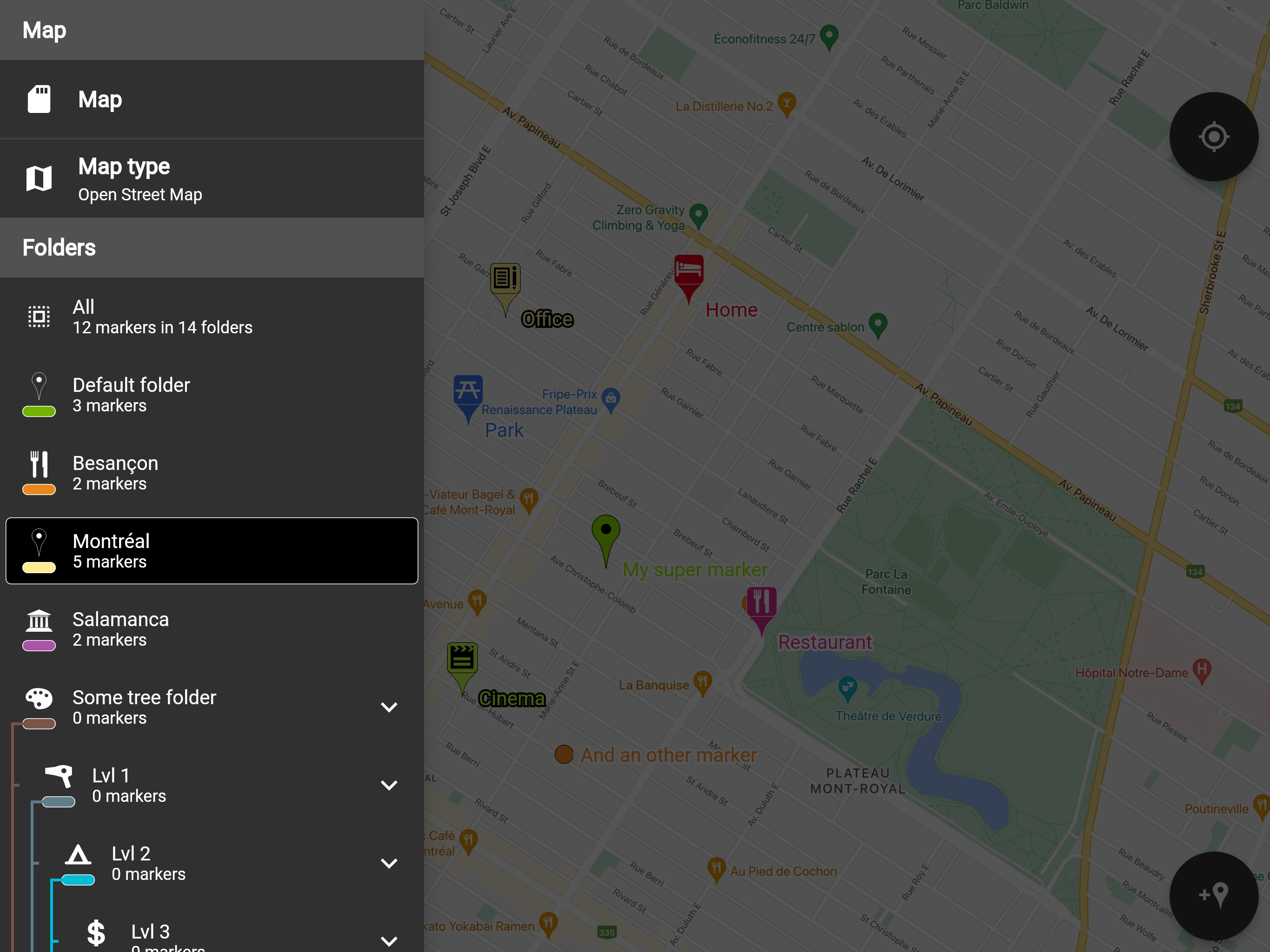
Map Marker includes 21 screenshots in the current listing data. Use them to confirm the interface, account prompts, ads, paywalls, editing tools, game style, or workflow before you open the source page. Screenshots are evidence of presentation, not independent proof of package behavior.
Use case fit
Map Marker is summarized as: "My maps, organized and practical everywhere" Compare that promise with the screenshots, category, update notes, and related apps before installing.
Version and compatibility
The listing shows version 3.13.0-774, Android requirement not listed, package size not listed, and last update Feb 1, 2026. These details matter because older devices, large packages, and stale updates can change the install experience.
Privacy and permissions
Map Marker does not include a permission list in the current metadata, so review the source listing and Android install prompt carefully.
Review checklist
- Confirm the developer name and source listing before installing.
- Review version, Android requirement, package size, and update date.
- Compare requested permission access with the feature you actually need.
- Read recent change notes and ratings as signals, not as guarantees of safety.
Comparison prompts
- Compare Map Marker's developer and source link with other Maps & Navigation options before installing.
- Check whether version 3.13.0-774 and Android not listed match your device.
- Review the source listing carefully because FungoApp does not currently have a permission list for this app.
- Compare against related listings such as Speedometer Offline: GPS, HUD and PID Litacka for feature scope and privacy tradeoffs.
Publisher notes
- FungoApp organizes public listing metadata into review notes and comparison checklists for Map Marker.
- FungoApp does not host the APK file, modify the app package, or claim independent file verification from the current data.
- The 4.8 rating with 28,036 rating entries is a useful popularity signal, but it should still be checked against update date, permissions, and the source listing. 1,000,000+ installs indicate broad usage, which helps with discovery but does not prove the package is appropriate for every device or privacy expectation.
Developer-provided description
If you have any issues with the app, please contact me by email, I will most likely be able to help.
Features:
• Offline maps: acquire offline map files elsewhere and use them to see the map even when offline!
• Set a title, a description, a date, a color, an icon and pictures for each marker, and move them freely on the map
• Organise your markers into different folders
• Browse and organize your markers easily from the text-searchable markers list
• Search places from various sources and create a new marker from the result
• Open a marker's location in any other map application already installed
• Navigate to a marker's location with the integrated compass
• Display and copy marker GPS coordinates to clipboard with one click
• Display a marker's address if available
• Create path-markers and measure their distance easily
• Create polygon-surface-markers and measure their perimeter and area easily
• Create circle-surface-markers and measure perimeter and area easily
• Create GPS tracks recorded from your device location
• Share a captured image of the current map
• Share markers as KML files
• Import markers from a QR code
• Import/export markers from/to KML or KMZ files
• Import your Google Maps favorite locations (those marked with a star)
• Exported KML files are compatible with most other map softwares such as Google Earth
• Custom fields for markers: Checkbox, Date, Email, Text, Multi-choice, Phone, Web link
• Create templates for custom fields per folder: the child markers will inherit their parent folder's custom fields
Premium features:
• Save your markers on the cloud with WebDAV, Google Drive or Dropbox
• Collaborate with your friends by sharing your map cloud folder with them: anyone with access to the map folder can modify it and changes will be synced to everyone using the folder
• Restore previous versions of your cloud map folder
• One time purchase for a lifetime upgrade on your Google account with an unlimited number of Android devices
• No ads
Used permissions:
• Get your location ⇒ to locate you on the map
• Access to external storage ⇒ to export, save and import to/from files
• Read Google services configuration ⇒ to use Google Maps
• Call phone ⇒ for being able to one-click-call a phone number entered in a marker details
• Internet access ⇒ for Google Maps to display the map
• In-app purchase ⇒ for being able to purchase the premium upgrade
Requirements (Latest version)
Android requirement is not listed in the current metadata.